


2026 04 25, GREAT FREE SOFTWARES TO LISTEN TO YOUR MUSIC AND TO CREATE YOUR MUSIC.
–
‼️‼️ LAST UPDATE 2026 04 25
‼️‼️ THANK YOU VERY MUCH.
———————————
———————————
‼️ GREAT FREE SOFTWARES TO LISTEN TO YOUR MUSIC AND TO CREATE YOUR MUSIC. ‼️ THANK YOU VERY MUCH ‼️
———————————
‼️ I CREATED THIS DOCUMENT TO INFORM, IT’S TOTALLY FREE, I DON’T WANT GIFTS.
‼️ I WANT TO REMAIN INDEPENDENT, I WANT TO RENDER SERVICE FOR FREE IN COMPLETE INDEPENDENCE.
———————————
‼️ WE MUST SUPPORT GAME DEVELOPERS, BUY THE GAMES.
———————————
‼️ THE ACT OF PURCHASE IS ALWAYS AN ACT OF SUPPORT, YOU SHOULD NEVER ASK FOR A REFUND.
– WE SUPPORT ARTISTS WITH OUR MONEY, BECAUSE WE LOVE THEM.
– YOU SHOULDN’T ASK FOR A REFUND FOR A CONCERT THAT HAS BEEN CANCELLED, BECAUSE YOU HAVE TO SUPPORT THE ARTISTS YOU LOVE, HUMANS SHOULDN’T JUST THINK ABOUT MONEY, YOU HAVE TO SUPPORT WHAT YOU LOVE.
– WE SUPPORT FOOTBALL CLUBS WITH OUR MONEY AND VIDEO GAME DEVELOPERS WITH OUR MONEY, WE SHOULD NEVER ASK FOR A REFUND IF A MATCH IS CANCELLED OR IF A VIDEO GAME DOES NOT SUIT US.
———————————
#IndieDev #IndieGameDev #GameDev #SoloDev
———————————
#GamingNews #IndieWatch #IndieGameTrends #RETROLIKE #IndieRetroNEWS
———————————
#GAMING #RetroGaming #VideoGames #JeuxVideo #GEEK #GEEKY
———————————
#STEAM #EpicGames #GOG #EA #Ubisoft #Blizzard #Rockstar #Bethesda #XBOX
———————————
#Retrogaming #RetroComputing #Emulation #Emulator #Emulators #Emulateur #Emulateurs #EmuFrance #Recalbox #Retropie #Batocera #RaspberryPi #RaspberryPi4 #RPI4 #RaspberryPi400 #RaspberryPiZero2W #CM4 #ComputeModule4
———————————
#AmigaForever #AmigaForever10 #AmigaRetweets #Commodore #Amiga #CommodoreAmiga #Amiga500 #Amiga600 #Amiga1200 #Amiga3000 #Amiga4000 #A500Mini
———————————
#C64Forever #C64Forever10 #C64Retweets #Commodore #C64 #Commodore64
———————————
#MiniPC #LAPTOP #LAPTOPS #Minisforum #GMKTEC #GMK #Beelink #Morefine #BMAX #MeLE #GEEKOM #AceMagician #AceMagic #CHUWI #LIVA #XDO #ASRock #MSI #ASUS #Gigabyte #Zotac #Lenovo #AORUS #INTEL #AMD #NVIDIA #SimplyNUC
———————————
———————————
———————————
‼️‼️ THANK YOU VERY MUCH.
———————————
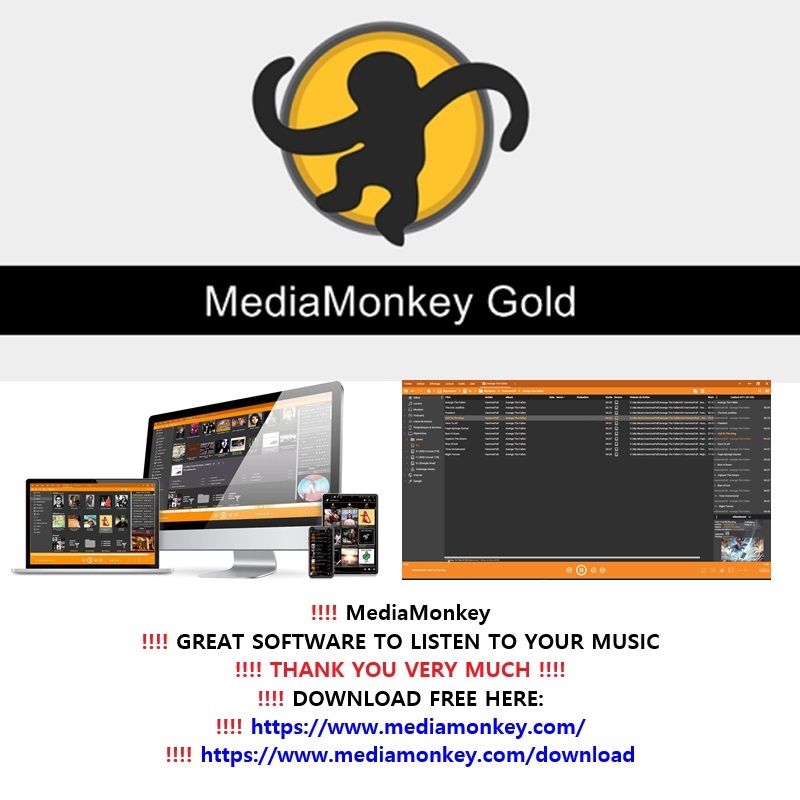
‼️‼️ MediaMonkey IS A GREAT SOFTWARE TO LISTEN TO YOUR MUSIC:
‼️‼️ DOWNLOAD FREE HERE:
‼️‼️ SUPPORT THE ARTISTS, BUY THE MUSIC
‼️‼️ THANK YOU VERY MUCH.
‼️‼️ MediaMonkey:
– Free Media Jukebox, Music Manager, CD Ripper.
– The media manager for serious collectors
– Let MediaMonkey organize your music/video collection and get it under control. On your PC and on your phone. So that you can focus on enjoying it.
– Manage
– Manage 100,000+ audio and video files, contemporary and classical music, audiobooks, podcasts or music videos; whether on a hard drive, a network, the cloud, or recorded from your CDs.
– Organize
– Organize your media and quickly get it under control. Automatically lookup and tag missing artwork/metadata, automatically organize and rename files, get rid of duplicates, and set up playlists.
– Share
– Share your music and video between Windows and Android, Apple devices (iPhone, iPad, iPod), TVs and other DLNA media players, or cloud services.
– Play
– Play high quality audio to your TV, stereo or any other UPnP/DLNA, chromecast, or bluetooth device, letting MediaMonkey convert unsupported formats and normalize volume levels.
– Convert
– Convert audio and video formats so that all your content can play on any of your devices.
– Customize
– Customize and extend MediaMonkey functionality with addons or skins to make it truly your own.
– Enjoy
– Enjoy your music. Whether you’re a collector, a small business owner, or DJ, MediaMonkey removes the tedium of managing your collection.
———————————
———————————
———————————
‼️‼️ THANK YOU VERY MUCH.
———————————
‼️‼️ AUDACITY IS A GREAT FREE AND OPEN SOURCE SOFTWARE TO CREATE YOUR MUSIC:
‼️‼️ AUDACITY IS ONE OF THE BEST FREE MUSIC PRODUCTION APPLICATIONS FOR BEGINNERS:
‼️‼️ DOWNLOAD FREE HERE:
‼️‼️ SUPPORT THE ARTISTS, BUY THE MUSIC
‼️‼️ THANK YOU VERY MUCH.
‼️‼️ Audacity:
– What is Audacity?
– Audacity is the world’s most popular free software for recording and editing audio. So if you’re producing music, a podcast, or just playing around with audio, Audacity is for you.
– Who is Audacity for?
– Audacity is for anyone who wants to get creative with sound. It’s also the perfect tool for anyone who needs to quickly edit or export audio, for any reason.
– Is Audacity free?
– Yes! Audacity has always been and will always remain free for everyone.
– Is Audacity open source?
– Audacity is proudly open source. This means its source code remains open to anyone to view or modify.
– A dedicated worldwide community of passionate audio lovers have collaborated to make Audacity the well-loved software it is today. Many third-party plugins have also been developed for Audacity thanks to its open source nature.
–
—
–
– Can Audacity record sound from my microphone as an “MP3” file?
– Yes, Audacity can record sound from your microphone and export it as an “MP3” file. Here’s how to do it in a few simple steps:
–
– Steps to record with Audacity and export as “MP3”:
–
– 1. Install Audacity:
– Download and install Audacity from the official website:
–
– 2. Install the “LAME MP3” plugin (required for “MP3” export):
– When you first try to export as “MP3”, Audacity will prompt you to download the “LAME MP3” plugin. Follow the instructions to install it.
–
– 3. Set up your microphone:
– Open Audacity.
– In the toolbar, select your microphone as the recording source (next to the record button).
– Make sure the recording volume is set correctly (volume slider on the right).
–
– 4. Record:
– Press the red “Record” button (●) to start recording.
– Speak into your microphone.
– Press “Stop” (■) to finish recording.
–
– 5. Export as “MP3”:
– Go to File > Export > Export as “MP3”.
– Choose a name and location for your file.
– Click Save.
–
– Notes:
– If the “LAME MP3” plugin is not installed, Audacity will guide you to download it during your first “MP3” export.
– You can also record in “WAV” or “AAC” and convert the file to “MP3” later if needed.
–
– If you need help setting up your microphone or troubleshooting sound issues, feel free to ask!
–
– Note:
– Some software (like Audacity) requires installing an “MP3” encoder (such as “LAME MP3”) to export in “MP3”. Most modern software includes this feature directly.
–
—
–
———————————
———————————
———————————
‼️‼️ Ocenaudio is a Free user-friendly, cross-platform audio editor that allows you to record, edit, and export audio files easily.
‼️‼️ This guide will walk you through the steps to record audio from your microphone and save it as an “MP3” file.
–
– Ocenaudio (Free) Simple and intuitive interface, direct MP3 export.
– Official website:
–
– Ocenaudio User Guide: Recording Microphone Audio to MP3
–
– Step 1: Download and Install Ocenaudio
– 1. Go to the Ocenaudio official website: https://www.ocenaudio.com/
– 2. Download the version compatible with your operating system (Windows, macOS, or Linux).
– 3. Follow the installation instructions to install Ocenaudio on your computer.
–
– Step 2: Set Up Your Microphone
– 1. Open Ocenaudio.
– 2. Ensure your microphone is connected to your computer.
– 3. Click on the “Preferences” button (usually found under the “Ocenaudio” menu on macOS or the “Edit” menu on Windows/Linux).
– 4. Go to the “Devices” tab.
– 5. Select your microphone as the “Input Device” from the dropdown menu.
– 6. Adjust the input volume if necessary.
–
– Step 3: Start Recording
– 1. Click the red **Record** button (circle icon) in the toolbar to start recording.
– 2. Speak into your microphone. Ocenaudio will display the audio waveform in real-time as you record.
– 3. Click the “Stop” button (square icon) when you are finished recording.
–
– Step 4: Edit Your Recording (Optional)
– 1. Use Ocenaudio’s editing tools to trim, cut, or enhance your recording if needed.
– 2. You can select parts of the audio waveform and apply effects or adjustments.
–
– Step 5: Export as “MP3”
– 1. Go to File > Export Audio.
– 2. Choose a location on your computer to save the file.
– 3. In the “Save as type” dropdown menu, select “MP3 Files (.mp3)”.
– 4. Enter a name for your file.
– 5. Click “Save”.
–
– Troubleshooting Tips
– “No Sound?” Ensure your microphone is properly connected and selected as the input device in Ocenaudio’s preferences.
– “Low Volume?” Adjust the input volume in Ocenaudio’s preferences or on your microphone itself.
– “MP3 Export Issues?” Make sure you have the necessary codecs installed. Ocenaudio usually handles this automatically, but you may need to install additional software if issues persist.
–
– Conclusion from “Mistral AI”:
– You have successfully recorded audio from your microphone and exported it as an “MP3” file using Ocenaudio.
– If you have any further questions or need additional help, feel free to ask!
–
—
–
———————————
———————————
———————————
—
‼️ 2026 04 25 ‼️ ✌👑 ‼️ VERY IMPORTANT: MY NEW METHOD OF WORKING HAS BEEN UPDATED AND A NEW LIST OF SOFTWARE AND SERVICES TO RECORD AND TRANSCRIBE SPOKEN WORDS:
–
– MY NEW METHOD OF WORKING WITH “Winxvideo AI” TO TRANSCRIBE OUR SPOKEN WORDS WITH SOFTWARE AND SERVICES, AND A NEW LIST OF SOFTWARE AND SERVICES THAT ALLOW YOU TO TRANSCRIBE THE SPOKEN WORDS OF A VIDEO OR AN AUDIO FILE:
–
– EXPLANATION OF MY METHOD OF WORKING FOR PUBLICATIONS ON SOCIAL MEDIA WITH THE LINKS OF “Winxvideo AI”, “Google Gemini AI”, free software “Buzz”, “Gab AI” AND “Notepad++”:
–
– I recommend the software “Winxvideo AI” to work: my new method of working with “Winxvideo AI”, with “Google Gemini AI” or the free software “Buzz”, and with “Gab AI” and “Notepad++”:
–
– [1] I create an “MP4” video with the software “Winxvideo AI” (if I need a video for social media) or I can directly create an “m4a” audio file with “Winxvideo AI” (if I do not need a video for social media), that is to say that I can directly create an “m4a” audio file with “Winxvideo AI” in order to avoid having to convert the video file into a “FLAC” audio file, if I do not need a video for social media.
–
– [1] OR, I can directly record/capture and transcribe the audio with the free software “Buzz” (if I do not need a video for social media).
–
– [2] I send the “MP4” video that has been created with the software “Winxvideo AI” to social media.
–
– [3] I convert the “MP4” video that has been created with the software “Winxvideo AI” into a “FLAC” audio file with the software “Winxvideo AI”.
–
– [4] “Google Gemini AI” transcribes the lyrics of the “FLAC” audio file, the “m4a” audio file, or the “MP4” video file that has been created with the software “Winxvideo AI”.
–
– [4] OR, the free software “Buzz” transcribes the lyrics of the “FLAC” audio file, the “m4a” audio file, or the “MP4” video file that has been created with the software “Winxvideo AI”.
–
– [5] I use the text of the transcription from “Google Gemini AI” or the free software “Buzz” with “Arya 3” of “Gab AI” in order to reformulate the text.
–
– [6] I use the text that I have sent to “Arya 3” of “Gab AI” and that has been reformulated by “Arya 3” of “Gab AI” with the software “Notepad++”; I modify this text, I correct the modification of this text with “Arya 3” of “Gab AI”, and I create the text of the publication with the software “Notepad++”.
–
– [7] I send the text of the publication that has been created with the software “Notepad++” on social media: thanks to “Winxvideo AI”, “Google Gemini AI” or the free software “Buzz”, “Gab AI” and “Notepad++” for helping me to work.
–
‼️ I RECOMMEND THESE SOFTWARES AND SERVICES FOR WORKING WITH MY WORKING METHOD:
–
‼️ THE MOST RECOMMENDED CHEAP VIDEO AND AUDIO CAPTURE PAID SOFTWARE:
‼️ RECORD OUR SPOKEN WORDS WITH PAID SOFTWARE
‼️ WinX HD Video Converter Deluxe is now Winxvideo AI
–
‼️ THE MOST RECOMMENDED FREE TRANSCRIBE AND AUDIO RECORDING SOFTWARE:
‼️ TRANSCRIBE AND RECORD OUR SPOKEN WORDS WITH READY TO USE FREE SOFTWARE:
‼️ Buzz
– Type: free desktop application / offline (With OpenAI Whisper)
– Use: audio / video / YouTube link transcription and translation
–
‼️ TO TRANSCRIBE OUR SPOKEN WORDS WITH A SERVICE
‼️ Google AI Studio ‼️ Google . com “AI” ‼️
–
‼️ TO TRANSCRIBE OUR SPOKEN WORDS WITH A SERVICE
‼️ Google Gemini AI ‼️ Google . com “AI” ‼️
–
‼️ TO TRANSCRIBE OUR SPOKEN WORDS WITH A SERVICE
‼️ TurboScribe
– Type: freemium
– Use: audio / video transcription
–
‼️ TO TRANSCRIBE OUR SPOKEN WORDS WITH A FREE SERVICE
‼️ Online Voice Recorder
– Allows recording directly from your browser and downloading in MP3.
–
‼️ TO TRANSCRIBE OUR SPOKEN WORDS WITH A FREE SERVICE
‼️ Vocaroo
– Simple and quick for short recordings.
–
‼️ TO RECORD OUR SPOKEN WORDS WITH A FREE SOFTWARE
‼️ Ocenaudio (Free) Simple and intuitive interface, direct FLAC export.
– Type: free desktop application / offline
– For Windows and macOS:
–
‼️ THE MOST RECOMMENDED “AI” FOR WORKING WITH UNCENSORED TEXTS
‼️ “ARYA 3” MODEL FROM UNCENSORED “Gab AI” FOR WORKING WITH THE TEXTS THAT HAVE BEEN TRANSCRIBED
‼️ Gab AI ‼️ UNCENSORED “AI” ‼️
– Get our new Gab AI App! Now On iOS and Android App Stores:
– If you have any issues, please email:
ai@gab.com
–
‼️ THE MOST RECOMMENDED SOFTWARE FOR WORKING WITH TEXT DOCUMENTS
‼️ DOWNLOAD NOTEPAD++ :
–
—
–
– SOFTWARE AND SERVICES THAT ALLOW YOU TO TRANSCRIBE THE SPOKEN WORDS OF A VIDEO OR AN AUDIO FILE
–
– CLASSIFICATION:
– 1) FREE
– 2) FREE WITH LIMITS / FREEMIUM
– 3) PAID
–
– 1) FREE:
–
– OpenAI Whisper
– Type: open source / local
– Use: audio and video transcription
– Link:
–
– Buzz
– Type: free desktop application / offline
– Use: audio / video / YouTube link transcription and translation
– Links:
–
– Subtitle Edit
– Type: free software
– Use: subtitles + transcription via Whisper
– Link:
–
– Vosk
– Type: open source / offline
– Use: speech recognition and local transcription
– Links:
–
– whisper.cpp
– Type: open source / local / lightweight
– Use: local transcription with Whisper
– Link:
–
– 2) FREE WITH LIMITS / FREEMIUM:
–
– Descript
– Type: freemium
– Use: transcription + audio / video editing
– Link:
–
– Otter
– Type: freemium
– Use: meeting, audio, and video transcription
– Link:
–
– Notta
– Type: freemium
– Use: meeting, audio, and video transcription
– Link:
–
– TurboScribe
– Type: freemium
– Use: audio / video transcription
– Link:
–
– Happy Scribe
– Type: free trial then paid
– Use: transcription, subtitles, translation
– Link:
–
– Rev
– Type: free plan then paid
– Use: AI transcription, human transcription, subtitles
– Link:
–
– 3) PAID:
–
– Sonix
– Type: paid
– Use: audio / video transcription + editing + subtitles
– Link:
–
– Trint
– Type: paid
– Use: professional transcription, collaborative editing, live transcription
– Link:
–
– Adobe Premiere Pro
– Type: paid
– Use: video editing + built-in transcription / subtitles
– Links:
–
– QUICK ADVICE:
–
– If you want 100% free and local:
– Whisper
– Buzz
– Subtitle Edit
– Vosk
– whisper.cpp
–
– If you want something simple in the browser:
– Otter
– Notta
– TurboScribe
– Happy Scribe
– Rev
–
– If you mainly do video editing:
– Descript
– Adobe Premiere Pro
–
– If you want more professional / collaborative transcription:
– Sonix
– Trint
–
—
–
2026 04 25: THE BEST ARTIFICIAL INTELLIGENCE “AI” WEBSITES & THE BEST AI WEBSITES FOR CREATING IMAGES. Thank You.
–
2026 04 25, GREAT FREE SOFTWARES TO LISTEN TO YOUR MUSIC AND TO CREATE YOUR MUSIC. THANK YOU.
‼️‼️ HERE:
–
2026 04 25, VIDEO CONVERTER & EDITOR & RECORDER & DOWNLOADER: FOUR BASIC & INEXPENSIVE SOFTWARES & EXTENSIONS
‼️‼️ FOUR BASIC AND INEXPENSIVE SOFTWARES THAT I HAVE USED FOR MY VIDEOS AND SOFTWARES AND EXTENSIONS FOR WEB BROWSER TO DOWNLOAD VIDEOS
‼️‼️ HERE:
–
2026 04 25, FREE ONLINE FILE CONVERTER: 6 FREE WEBSITES TO CONVERT YOUR FILES ONLINE IN THE FORMAT THAT YOU DESIRE
‼️‼️ HERE:
—
———————————
———————————
———————————
‼️ 2026 04 06 ‼️ ✌👑 ‼️ VERY IMPORTANT: ONLINE VOICE RECORDERS AND MP3 RECORDING SOFTWARE (MULTI-PLATFORM) FOR USING “MISTRAL AI” TO TRANSCRIBE CONTENT (E.G., CONVERT A VOICE RECORDING INTO TEXT):
–
‼️‼️ THIS DOCUMENT HAS BEEN UPDATED TODAY:
‼️‼️ GREAT FREE SOFTWARES TO LISTEN TO YOUR MUSIC AND TO CREATE YOUR MUSIC
‼️‼️ HERE:
–
‼️‼️‼️ IMPORTANT DOCUMENT: YOUTUBE CHANNELS OF THE RECORDS LABELS (AND FESTIVALS) OF THE SATANISTS AND RELEASES AND PROMOTIONS TO HELP AND TO PUBLICIZE GOOD METAL BANDS (AND OTHER BANDS) AND COLLABORATE IN THEIR DIFFUSION
‼️‼️‼️ HERE:
–
– ONLINE VOICE RECORDER AND A LIST OF POPULAR SOFTWARE THAT ALLOW YOU TO RECORD VOICE IN “MP3” FORMAT, AVAILABLE ON DIFFERENT OPERATING SYSTEMS FOR USING “MISTRAL AI” TO TRANSCRIBE THE CONTENT (E.G., CONVERT A VOICE RECORDING INTO TEXT):
–
—
–
– 2026 03 31, You can use “Mistral AI” for free to transcribe texts from an audio file, for example an MP3 file, and that is what I did today. So thank you to “Mistral AI” for the transcription and thank you to “GAB AI” for the work on the text and the translation of the text…
–
—
–
– PREAMBLE: QUESTION TO “MISTRAL AI” : What audio files can you use?:
–
– I can work with audio files in the following cases:
–
– Supported audio formats:
– MP3
– WAV
– OGG
– M4A
– AAC
– FLAC
–
– What I can do with an audio file:
– Transcribe the content (e.g., convert a voice recording into text).
– Answer questions about the audio content once transcribed.
–
– What I cannot do:
– Analyze music or sounds (e.g., recognize instruments or melodies).
– Directly edit or modify the audio file.
– Process videos (even if they contain audio).
–
– If you have an audio file and want me to transcribe or analyze it, you can send it to me!
–
—
–
– Which software can record voice in MP3 format?:
–
– Here’s a list of popular software that allows you to record voice in “MP3” format, available on different operating systems:
–
—
–
– Online (No Installation):
–
– 1. Online Voice Recorder
– Website:
– Allows recording directly from your browser and downloading in MP3.
–
– 2. Vocaroo
– Website:
– Simple and quick for short recordings.
–
—
–
– For Windows and macOS:
–
– 1. Audacity (Free and open-source)
– Allows recording, editing, and exporting to MP3.
– Requires the “LAME MP3” plugin for MP3 export.
– Official website:
–
– 2. Ocenaudio (Free)
– Simple and intuitive interface, direct MP3 export.
– Official website:
–
– 3. Adobe Audition (Paid)
– Professional software for recording and audio editing.
– Export to MP3 and other formats.
– Official website:
–
– 4. GarageBand (Free on macOS)
– Ideal for beginners, allows MP3 export.
– Official website:
–
—
–
– For Linux:
–
– 1. Audacity (Free)
– Also works on Linux, with the LAME MP3 plugin.
– Official website:
–
–
– 2. Ardour (Free and paid)
– Professional software for multitrack recording, MP3 export possible.
– Official website:
–
—
–
– For Mobile (Android/iOS):
–
– 1. Voice Recorder (Android)
– Apps like “Easy Voice Recorder” or “Smart Recorder” allow MP3 export.
–
– 2. Voice Memos (iOS)
– Native app on iPhone, allows MP3 export via sharing options.
–
– 3. RecForge II (Android)
– Allows recording and exporting in MP3 with adjustable quality options.
–
– Note:
– Some software (like Audacity) requires installing an MP3 encoder (such as “LAME MP3”) to export in MP3. Most modern software includes this feature directly.
–
—
–
———————————
———————————
———————————
‼️ 2026 04 08 ‼️ ✌👑 ‼️ VERY IMPORTANT: AUTOMATICALLY TRANSCRIBE OUR SPOKEN WORDS WITH ARTIFICIAL INTELLIGENCE “AI” FROM AN “MP3” OR “FLAC” FILE IN ORDER TO WORK FASTER WITH “AI”: AI TRANSCRIPTION TOOLS FOR “MP3” AND “FLAC”: FREE AND PAID OPTIONS, RECORDERS, AND VERIFIED SERVICES:
–
‼️ Which artificial intelligences can transcribe text from an “MP3” or “FLAC” file, like Mistral AI?
–
– ‼️‼️ GREAT FREE SOFTWARES TO LISTEN TO YOUR MUSIC AND TO CREATE YOUR MUSIC
– ‼️‼️ HERE:
–
—
–
– Online (No Installation):
–
– 1. Online Voice Recorder
– Website:
– Allows recording directly from your browser and downloading in MP3.
–
– 2. Vocaroo
– Website:
– Simple and quick for short recordings.
–
—
–
– For Windows and macOS:
–
– Ocenaudio (Free) Simple and intuitive interface, direct FLAC export.
– Official website:
–
– 1. Audacity (Free and open-source)
– Allows recording, editing, and exporting to MP3.
– Requires the “LAME MP3” plugin for MP3 export.
– Official website:
–
—
–
– FREE AI TRANSCRIPTION OPTIONS:
–
– A) BEST TRULY FREE OR CLEARLY FREE ONGOING OPTIONS:
–
– OpenAI Whisper
– Free open-source software under the MIT License.
–
– Google AI Studio / Gemini API
– Official free tier documented.
–
– Mistral AI
– Official free API tier documented.
–
– Microsoft Azure Speech Services
– Free (F0) tier with 5 audio hours per month.
–
– Gladia
– Free tier with up to 10 hours of transcription per month.
–
– Speechmatics
– Free tier with 480 minutes per month.
–
– B) FREE CREDITS OR LIMITED FREE TRIAL:
–
– Deepgram
– $200 in free credit.
–
– AssemblyAI
– $50 in free credits.
–
– Google Cloud Speech-to-Text
– Up to $300 in Google Cloud free credits for new customers.
–
– Amazon Transcribe
– 60 minutes per month for 12 months.
–
– Rev AI
– 5 hours in free credits, no credit card required.
–
– C) VERIFIED TRANSCRIPTION, BUT NOT CLEARLY FREE FOR THIS SPECIFIC USE CASE FROM THE OFFICIAL PAGES I CHECKED:
–
– Perplexity AI
–
– OpenAI API AI
–
—
–
– FREE AI TRANSCRIPTION OPTIONS:
–
– A) BEST TRULY FREE OR CLEARLY FREE ONGOING OPTIONS:
–
– OpenAI Whisper
– Free open-source software under the MIT License.
–
– Google AI Studio / Gemini API
– Official free tier documented.
–
– Mistral AI
– Official free API tier documented.
–
– Microsoft Azure Speech Services
– Free (F0) tier with 5 audio hours per month.
–
– Gladia
– Free tier with up to 10 hours of transcription per month.
–
– Speechmatics
– Free tier with 480 minutes per month.
–
– B) FREE CREDITS OR LIMITED FREE TRIAL:
–
– Deepgram
– $200 in free credit.
–
– AssemblyAI
– $50 in free credits.
–
– Google Cloud Speech-to-Text
– Up to $300 in Google Cloud free credits for new customers.
–
– Amazon Transcribe
– 60 minutes per month for 12 months.
–
– Rev AI
– 5 hours in free credits, no credit card required.
–
– C) VERIFIED TRANSCRIPTION, BUT NOT CLEARLY FREE FOR THIS SPECIFIC USE CASE FROM THE OFFICIAL PAGES I CHECKED:
–
– Perplexity AI
–
– OpenAI API AI
–
—
–
– ALL LIST (FREE AND PAID):
–
– [01] Google AI Studio / Gemini API
– Main page:
– Official audio documentation:
– Official pricing:
– Comment:
– Google officially supports speech-to-text / audio transcription.
– The official Gemini audio documentation explicitly supports MP3 and FLAC.
– Free status:
– Yes.
– Google officially documents a free tier for Gemini API usage.
–
– [02] Perplexity AI
– Main page:
– Official file upload documentation:
– Comment:
– Perplexity officially says that audio and video files can be uploaded and automatically transcribed into searchable text.
– The official file upload page explicitly lists audio/flac and audio/mp3.
– Free status:
– Unclear for this exact audio-transcription use case.
– Perplexity is free to use in general, but I did not verify a clearly documented free transcription allowance for uploaded audio files from the official pages I checked.
–
– [03] OpenAI API AI
– Main page:
– Official audio guide:
– Official speech-to-text guide:
– Official transcription reference:
– Official pricing:
– Comment:
– OpenAI officially supports speech-to-text transcription.
– Important note:
– OpenAI’s current official documentation is not perfectly consistent about FLAC.
– The official speech-to-text guide explicitly lists mp3, mp4, mpeg, mpga, m4a, wav, and webm.
– The official transcription API reference explicitly lists flac, mp3, mp4, mpeg, mpga, m4a, ogg, wav, and webm.
– So OpenAI is definitely a verified transcription solution, but the current official FLAC documentation is inconsistent across OpenAI pages.
– Free status:
– No clearly documented free API transcription tier was verified in the official pages I checked.
–
– [04] Mistral AI
– Main page:
– Official speech-to-text documentation:
– Official usage tiers:
– Comment:
– Mistral officially provides speech-to-text / transcription.
– The official documentation says Mistral’s Audio & Transcription services convert speech to text and include offline and realtime transcription.
– Important note:
– The transcription capability is clearly verified.
– However, in the official pages I checked, the format list was less explicit than Google or Perplexity about naming MP3 and FLAC one by one.
– Free status:
– Yes.
– Mistral officially documents a free API tier with restrictive rate limits.
–
– [05] OpenAI Whisper
– Official repository:
– Official license:
– Comment:
– Whisper is a real transcription / speech-recognition model from OpenAI.
– The official repository directly shows command-line transcription examples with audio.flac and audio.mp3.
– Free status:
– Yes.
– Whisper is open-source under the MIT License.
– Important note:
– It is free software, but you must run it on your own hardware or infrastructure.
–
– [06] Deepgram
– Main page:
– Official supported formats documentation:
– Official pricing:
– Comment:
– Deepgram officially supports transcription and explicitly supports MP3 and FLAC.
– Free status:
– Yes, but as free credits, not an unlimited permanent free plan.
– Deepgram officially offers $200 in free credit.
–
– [07] AssemblyAI
– Main page:
– Official supported file types documentation:
– Official pricing:
– Comment:
– AssemblyAI officially supports speech-to-text.
– Its official support page explicitly lists .flac and .mp3 among supported file types.
– Free status:
– Yes, but as free credits, not an unlimited permanent free plan.
– AssemblyAI officially offers $50 in free credits.
–
– [08] Google Cloud Speech-to-Text
– Main page:
– Official audio encoding documentation:
– Official pricing:
– Official free offer:
– Comment:
– Google Cloud Speech-to-Text is a real professional transcription service.
– FLAC is explicitly documented.
– MP3 is also documented in Google’s official encoding documentation, but with an important note that MP3 is a beta feature in v1p1beta1.
– Free status:
– Yes, but as new-customer credits, not a permanent unlimited free plan.
–
– [09] Amazon Transcribe
– Main page:
– Official API reference:
– Official pricing:
– Official free tier page:
– Comment:
– Amazon Transcribe is a verified speech-to-text service from AWS.
– Its API reference explicitly lists mp3 and flac as valid media formats.
– Free status:
– Yes, but as a time-limited free tier.
– AWS officially says the free tier includes 60 minutes per month for 12 months.
–
– [10] Microsoft Azure Speech Services
– Main page:
– Official compressed audio input documentation:
– Official SDK enum documentation:
– Official pricing:
– Comment:
– Azure Speech is a real transcription service.
– Microsoft’s SDK docs expose MP3 and FLAC stream container formats.
– Microsoft also notes that some compressed-file workflows may require conversion to WAV first depending on the input path.
– Free status:
– Yes.
– Azure officially documents a Free (F0) tier with 5 audio hours free per month for speech-to-text.
–
– [11] Rev AI
– Main page:
– Free signup page:
– Comment:
– Rev AI is a verified speech-to-text service.
– Free status:
– Yes, but as one-time free credits.
– Rev AI officially offers 5 hours in free credits and says no credit card is required.
–
– [12] Gladia
– Main page:
– Official supported formats documentation:
– Official pricing:
– Comment:
– Gladia is a verified transcription service.
– Its documentation says it supports almost all types of audio or video files, and its official materials describe it as an audio transcription API.
– Free status:
– Yes.
– Gladia officially says its free tier includes up to 10 hours of transcription free of charge each month.
–
– [13] Speechmatics
– Main page:
– Official batch input documentation:
– Official pricing:
– Comment:
– Speechmatics is a verified transcription service.
– Its official documentation explicitly supports mp3 and flac.
– Free status:
– Yes.
– Speechmatics officially offers a free tier with 480 minutes per month and no credit card required.
–
– NOT KEPT IN THE FINAL CLEANED LIST:
–
– Gab AI
– Removed, as requested.
–
– Vosk
– Vosk is clearly a real offline speech-recognition toolkit.
– However, during this check, I did not find equally explicit official MP3 / FLAC file-format confirmation in the same clear way as the other tools above.
– So I am not keeping it in this final cleaned list for this specific MP3 / FLAC question.
–
—
–
———————————
———————————
———————————
‼️ 2026 03 06 ‼️ ✌👑 ‼️ VERY IMPORTANT: A VERY GOOD FREE MEDIA PLAYER AND FREE CODEC PACK: “VIDEOLAN VLC Media Player” WITH “K-Lite Codec Pack”: For watching videos and listening to music, I recommend installing “VIDEOLAN VLC Media Player”, and you can install a free codec pack from the CODEC GUIDE website, and you should install “K-Lite Codec Pack” from the CODEC GUIDE website:
–
‼️ DOWNLOAD “VIDEOLAN VLC Media Player” FROM THE VIDEOLAN WEBSITE:
‼️ DOWNLOAD “K-Lite Codec Pack” FROM THE CODEC GUIDE WEBSITE:
–
—
–
– In VLC media player, you can switch to full screen in several ways:
–
– Double-click on the video.
–
– Press the F key.
–
– Go to the Video menu, then Full Screen.
–
– You can also click on the full screen icon at the bottom right of the window.
–
– To exit full screen:
–
– Press F again
–
– or press Esc
–
– or double-click on the video
–
– If full screen does not work well, I can also give you the method for Windows, with step-by-step screenshots adapted to your VLC interface.
–
—
–
– On Windows, in VLC, full screen is generally enabled with the F key, by double-clicking on the video image, through the Video > Fullscreen menu, or via the fullscreen button located in the control bar at the bottom of the window.
–
– Step-by-step method on Windows:
–
– Open your video in VLC.
–
– Look at the menu bar at the top of the window: Media, Playback, Audio, Video, etc.
–
– Click Video.
–
– Click Fullscreen. This switches the video to fullscreen mode.
–
– Faster method:
–
– Press the F key on the keyboard while VLC is active.
–
– Or double-click directly on the video image.
–
– To return to normal mode:
–
– Press Esc
–
– or press F again
–
– or double-click the video again
–
– Visual markers in the VLC interface on Windows:
–
– At the top: the menu bar.
–
– At the bottom: the playback bar with the play/pause buttons.
–
– At the bottom right: the button used to switch to fullscreen mode.
–
– If the Windows taskbar stays visible or if fullscreen behaves incorrectly, that is a problem that has already been reported on Windows with some VLC/display configurations.
–
– In that case, try this:
–
– close and reopen VLC
–
– start the video and then press F
–
– check that VLC is the active window
–
– also test Video > Fullscreen instead of double-clicking
–
– To make screenshots truly adapted to your VLC interface, send me a screenshot of your VLC window open on Windows.
–
—
–
———————————
———————————
———————————
‼️ THANK YOU VERY MUCH.
———————————
———————————
———————————
‼️ VIDEO CONVERTER AND EDITOR AND RECORDER AND DOWNLOADER AND EXTENSIONS FOR WEB BROWSER:
———————————
‼️ FOUR BASIC AND INEXPENSIVE SOFTWARES THAT I HAVE USED FOR MY VIDEOS AND SOFTWARES AND EXTENSIONS FOR WEB BROWSER TO DOWNLOAD VIDEOS:
—
1] Apowersoft Video Converter Studio
—
2] WinX HD Video Converter Deluxe is now Winxvideo AI
—
3] EaseUS VideoKit (This software has evolved, in the past it was a simple video converter)
Plus this one not used by the antichrist:
Plus this one:
—
4] EaseUS Recexperts (to record videos) (warning: Recexperts is a very basic software, not for the professionals):
—
5] To download videos, you can use:
—
———————————
———————————
‼️ FREE ONLINE FILE CONVERTER: 6 FREE WEBSITES TO CONVERT YOUR FILES ONLINE IN THE FORMAT THAT YOU DESIRE:
———————————
—
1] online-convert
—
2] FreeFileConvert
—
3] cloudconvert
—
4] convertio
—
5] foxit
—
6] adobe
—
———————————
———————————
‼️ EaseUS AI Media Player: VERY GOOD MEDIA PLAYER WITH ARTIFICIAL INTELLIGENCE (AI)
‼️ YOU CAN CREATE SUBTITLES FOR THE VIDEOS
‼️ EaseUS AI Media Player CAN GENERATE VIDEO SUBTITLES WITH ONE CLICK
‼️ AND YOU CAN READ SUBTITLES WITH VIDEOS WITH THE .srt FILES
———————————
– Here is the link to download the EaseUS AI Media Player, which is probably necessary in the purpose of being able to see the English subtitles:
– You must put the .srt file in the same directory as the video file, and launch the video with EaseUS AI Media Player.
– To have the .srt file and the video file, you must download the video from YouTube with EaseUS Video Downloader.
– The .srt file is the subtitle file for having subtitles with the video.
–
– EaseUS AI Media Player Better with AI-generated subtitles
– Lossless playback of videos in any format
– Generate corresponding subtitles with AI
– Support translating subtitles into over 30 languages
– Support bilingual subtitle display
–
– What is EaseUS AI Media Player:
– The best video player for any video format
– EaseUS AI Media Player is your first choice for video playback in Windows.
– With it, you can play MP4, AVI and other formats.
– You can also use the AI in the player to generate video subtitles or translate them directly.
– No need to search and download subtitles online anymore!
–
– AI-Generated Subtitles:
– Built-in AI model can generate video subtitles with one click
– This media player for Windows has a built-in AI model to recognize the dialogue in the video and generate subtitles,
– and can generate corresponding subtitles for videos in any format.
–
– AI Subtitle Translation:
– Generate video subtitles in one click with built-in AI model
– This video player supports subtitle translation into more than 30 languages with AI.
– Whether it is an AI-generated subtitle file or a locally uploaded subtitle file,
– it can be translated quickly and accurately.
–
———————————
———————————
———————————
‼️‼️ THANK YOU VERY MUCH.
———————————
———————————
———————————
‼️ I CREATE DOCUMENTS TO INFORM, IT’S TOTALLY FREE, I DON’T WANT GIFTS.
–
‼️ I WANT TO REMAIN INDEPENDENT, I WANT TO RENDER SERVICE FOR FREE IN COMPLETE INDEPENDENCE.
–
‼️ WE MUST SUPPORT GAME DEVELOPERS, BUY THE GAMES.
–
‼ THE ACT OF PURCHASE IS ALWAYS AN ACT OF SUPPORT, YOU SHOULD NEVER ASK FOR A REFUND.
–
– WE SUPPORT ARTISTS WITH OUR MONEY, BECAUSE WE LOVE THESE ARTISTS: SUPPORT THE ARTISTS, BUY THE MUSIC.
–
– YOU SHOULDN’T ASK FOR A REFUND FOR A CONCERT THAT HAS BEEN CANCELLED, BECAUSE YOU HAVE TO SUPPORT THE ARTISTS THAT YOU LOVE, THE HUMANS SHOULDN’T JUST THINK ABOUT MONEY, YOU HAVE TO SUPPORT WHAT YOU LOVE.
–
– WE SUPPORT FOOTBALL CLUBS, WITH OUR MONEY, AND VIDEO GAME DEVELOPERS, WITH OUR MONEY, WE SHOULD NEVER ASK FOR A REFUND IF A MATCH IS CANCELLED, OR IF A VIDEO GAME DOES NOT SUIT US.
–
‼️‼️ LINKS TO FOLLOW ME ON SOCIAL MEDIAS:
‼️‼️ FOLLOW ME ON SOCIAL MEDIAS:
– My address:
– Frederic Descamps
– Rue Vlogaert 22 bt 20
– bt 20, Sonnette Demaret-Descamps, 4eme etage
– 1060 Saint-Gilles (Brussels)
– Belgique (Belgium)
‼️‼️ Look at where I live with Google Maps:
–
– THANK YOU VERY MUCH.
–
‼️‼️ LeGamerInfini DOCUMENTS AVAILABLE HERE:
–
‼️‼️ TheRealAntichrist DOCUMENTS AVAILABLE HERE:
–
‼️‼️‼️ IMPORTANT DOCUMENT: YOUTUBE CHANNELS OF THE RECORDS LABELS (AND FESTIVALS) OF THE SATANISTS AND RELEASES AND PROMOTIONS TO HELP AND TO PUBLICIZE GOOD METAL BANDS (AND OTHER BANDS) AND COLLABORATE IN THEIR DIFFUSION
‼️‼️‼️ THIS DOCUMENT IS AVAILABLE HERE:
—
‼️‼️‼️ BEST ITEMS FOR SATANISTS: T-Shirts, PENDANTS, UNDERPANTS, SOCKS, MUGS
‼️‼️‼️ THIS DOCUMENT IS ONLY INTENDED FOR SATANISTS OR CURIOUS HUMANS WHO WOULD LIKE TO KNOW WHAT ITEMS THE ANTICHRIST HAS PURCHASED
‼️‼️‼️ THIS DOCUMENT IS AVAILABLE HERE:
—
—
‼️ VERY IMPORTANT: GAMING: NEW RELEASES ON STEAM:
– Here is the link to discover, the best games, and the best developers of games:
–
– it is important to check every day, the new releases on Steam every day, to discover the new talents:
–
‼️‼️ NEW RELEASES ON STEAM LINK:
–
‼️‼️ FREE GAMES DEMOS ON STEAM LINK:
–
—
‼️‼️ GAMING: FREE GAMES. IMPORTANT ACTORS OF VIDEO GAMES INDUSTRY. GAMING BEST KEYSELLERS STORES
‼️‼️ THIS DOCUMENT IS AVAILABLE HERE:
‼️‼️ THIS DOCUMENT IS ALSO AVAILABLE HERE:
‼️‼️ WE MUST SUPPORT GAME DEVELOPERS. BUY THE GAMES.
‼️‼️ THANK YOU VERY MUCH.
‼️‼️ SUMMARY OF THE DOCUMENT (THE TOPICS IN THE DOCUMENT) (THINGS INCLUDED IN THIS DOCUMENT):
—
ABOUT GAMING:
—
[1] FREE GAMES (SITES TO FIND FREE GAMES)
—
[2] SEARCH ENGINES FOR BUYING CHEAP KEYS & GAMING BEST KEYSELLERS STORES
—
[3] WINDOWS 10 & 11 CHEAP KEYSELLERS STORES + DISCOUNT CODES
—
[4] YOUTUBE CHANNELS FOR BENCHMARKS & FOR GRAPHIC COMPARISONS
—
[5] IMPORTANTS ACTORS OF VIDEO GAMES INDUSTRY
—
[6] YOUTUBE CHANNELS
—
[7] CROWDFUNDING SITES
—
[8] TWITTER ACCOUNTS FOR GEEKS
—
[9] MODDING SITES
—
[10] VIDEO GAME TRANSLATION SITES
—
[11] MOUSE Logitech G502 Hero & G502 X. Easily navigate NEXT TAB & PREVIOUS TAB, easily CLOSE TABS
—
[12] VIDEO GAME ENGINES
—
[13] VIDEO GAME REVIEW AND NEWS SITES
—
[14] DOCUMENT RETROGAMING & EMULATORS & EMULATION. IMPORTANT LINKS ABOUT RETROGAMING
—
—
‼️‼️ RETROGAMING, EMULATION, EMULATORS: IMPORTANT LINKS ABOUT RETROGAMING
‼️‼️ DOCUMENT AVAILABLE HERE:
—
‼️‼️ BEST GAME CONTROLLERS & BRANDS & YOUTUBE CHANNELS REVIEWING GAME CONTROLLERS & OTHER THINGS
‼️‼️ THE BEST GAME CONTROLLERS AND BRANDS OF GAME CONTROLLERS (WEBSITES) AND YOUTUBE CHANNELS REVIEWING GAME CONTROLLERS AND OTHER INTERESTING THINGS ABOUT GAME CONTROLLERS
‼️‼️ DOCUMENT AVAILABLE HERE:
—
‼️‼️ THE LINKS OF THE BEST MINI PC BRANDS AND YOUTUBE CHANNELS ABOUT MINI PCs AND THE BEST LAPTOP BRANDS
‼️‼️ DOCUMENT AVAILABLE HERE:
—
‼️‼️ CYBERSECURITY: TIPS AND LINKS TO FIGHT VIRUSES AND INFECTIONS AND MALICIOUS SITES
‼️‼️ DOCUMENT AVAILABLE HERE:
—
‼️‼️ THE BEST INTERNET BROWSERS AND THE BEST SEARCH ENGINES AND THE BEST META SEARCH ENGINES
‼️‼️ DOCUMENT AVAILABLE HERE:
—
‼️‼️ VIDEO CONVERTER & EDITOR & RECORDER & DOWNLOADER: FOUR BASIC & INEXPENSIVE SOFTWARES & EXTENSIONS
‼️‼️ FOUR BASIC AND INEXPENSIVE SOFTWARES THAT I HAVE USED FOR MY VIDEOS AND SOFTWARES AND EXTENSIONS FOR WEB BROWSER TO DOWNLOAD VIDEOS:
‼️‼️ DOCUMENT AVAILABLE HERE:
—
‼️ FREE ONLINE FILE CONVERTER: 6 FREE WEBSITES TO CONVERT YOUR FILES ONLINE IN THE FORMAT THAT YOU DESIRE
‼️‼️ DOCUMENT AVAILABLE HERE:
—
‼️‼️ CROWDFUNDING SITES
‼️‼️ CROWDFUNDING IS A WAY OF RAISING MONEY TO FINANCE PROJECTS AND BUSINESSES
‼️‼️ IT ENABLES FUNDRAISERS TO COLLECT MONEY FROM A LARGE NUMBER OF PEOPLE VIA ONLINE PLATFORMS
‼️‼️ DOCUMENT AVAILABLE HERE:
—
‼️‼️ BIBLE: Isaiah 24:19 There will be earthquakes, and the earth will split open…
‼️ LINKS TO MONITOR THE NATURAL DISASTERS AND THE NATURAL PHENOMENA RARE AND UNUSUAL
‼️‼️ DOCUMENT AVAILABLE HERE:
—
‼️ THE BEST WEBSHOPS: WEBSHOPS IN WHICH WE CAN TRUST: TRUSTED WEBSHOPS
‼️‼️ DOCUMENT AVAILABLE HERE:
—
‼️ FOUR TRANSLATORS WEBSITES & A SPELL CHECKER & GRAMMAR CHECKER & STYLE CHECKER
‼️‼️ DOCUMENT AVAILABLE HERE:
—
‼️ GREAT FREE SOFTWARES TO LISTEN TO YOUR MUSIC AND TO CREATE YOUR MUSIC
‼️‼️ DOCUMENT AVAILABLE HERE:
—
‼️ THE BEST ARTIFICIAL INTELLIGENCE “AI” WEBSITES & THE BEST AI WEBSITES FOR CREATING IMAGES
‼️ LINKS TO THE BEST ARTIFICIAL INTELLIGENCE “AI” WEBSITES AND, LINKS TO THE BEST “AI” WEBSITES FOR CREATING IMAGES, THAT I KNOW ACTUALLY
‼️‼️ DOCUMENT AVAILABLE HERE:
—
‼️ VERY IMPORTANT: IMPORTANT YOUTUBE CHANNELS ABOUT THE JEWISH RELIGION AND ABOUT THE CHRISTIAN RELIGION
‼️‼️ DOCUMENT AVAILABLE HERE:
—
‼️ LINKS TO TV NEWS CHANNELS & IMPORTANT LINKS TO WEBSITES FOR FOOTBALL (SOCCER) (LIVE & SUMMARIES)
‼️‼️ DOCUMENT AVAILABLE HERE:
—
‼️ YOUTUBE CHANNELS ABOUT TOP AND BEST ITEMS (TOP 3, TOP 4, TOP 5, TOP 10 AND BEST):
‼️ YOUTUBE CHANNELS TO DISCOVER THE BEST ITEMS:
‼️‼️ DOCUMENT AVAILABLE HERE:
——
——
‼️ 2024 12 14 ‼️ ✌👑 ‼️ THE BEST ITEMS THAT YOU SHOULD USE: GREAT PRODUCTS:
——
——
‼️‼️ HIGHLY RECOMMENDED MOUSE: Logitech G502 X:
–
‼️‼️ I highly recommend the mouse that I bought: Logitech G502 X AND SETTINGS IN THIS DOCUMENT: https://pastebin.com/3xuzGBrq : Easily navigate NEXT TAB & PREVIOUS TAB & Easily CLOSE TABS & Easily CLOSE WINDOWS with the buttons of the mouse:
‼️‼️ This mouse costs around 54-74 euros, around 54-74 dollars, I am quite satisfied with this mouse.
‼️‼️ This mouse is available on Amazon, to buy this mouse in your area, search on Amazon in your area: Logitech G502 X
‼️‼️ On Amazon Belgium : BLACK: https://www.amazon.com.be/gp/product/B07W6HSTNR
‼️‼️ On Amazon Belgium : WHITE: https://www.amazon.com.be/gp/product/B07W6JNFYQ
‼️‼️ NEW MOUSE: Logitech G502 X:
‼️‼️ OLD MOUSE: Logitech G502 Hero:
–
——
——
‼️‼️ THE BESTS CURRENT (2024) MOUSE PADS: Logitech G440 (cheap) and Razer Atlas (not cheap):
–
‼️‼️ Logitech G440 (cheap):
‼️‼️ ON OTHER AMAZON WEBSHOPS (OTHER COUNTRIES), SEARCH “Logitech G440”
–
‼️‼️ Razer Atlas (not cheap):
‼️‼️ ON OTHER AMAZON WEBSHOPS (OTHER COUNTRIES), SEARCH “Razer Atlas”
–
——
——
‼️‼️ A CHEAP SMALL TABLE: CHEAP SMALL TABLE TO PUT THE MOUSE PAD AND THE MOUSE ON IT:
–
‼️‼️ GREAT: SONGMICS: VASAGLE BY SONGMICS: I RECOMMEND THIS SMALL TABLE: CHEAP SMALL TABLE TO PUT THE MOUSE PAD AND THE MOUSE ON IT:
‼️‼️ This table is useful for placing the mouse pad and the mouse of the computer on it…
‼️‼️ IMPORTANT: It is not necessary to use the table on the casters, another option is available with the table.
– ON OTHER AMAZON WEBSHOPS (OTHER COUNTRIES), SEARCH “VASAGLE”
–
——
——
‼️‼️ RECOMMENDED COMPUTER STAND: COMPUTER DESK “PEPE” ON WHEELS:
–
‼️‼️ I recommend this computer stand: if you do not have a good piece of furniture for your computer, you should buy this computer stand: computer desk “PEPE” on Wheels – white Inter Link (47, 95 €, around 47, 95 dollars)
‼️‼️ 47, 95 €, around 47, 95 dollars: https://www.pearl.fr/article/MLG571/bureau-informatique-a-roulettes-pepe-blanc-1
‼️‼️ 79, 95 €, around 79, 95 dollars: https://www.pearl.fr/article/TG2083/bureau-informatique-a-roulettes-pepe-blanc
‼️‼️ This piece of furniture is available at Amazon, for this piece of furniture in your area, search on Amazon in your area: Inter Link Computer Office.
–
‼️‼️ On Amazon Belgium (93.32 €): https://www.amazon.com.be/gp/product/b00aqob4cs/
–
‼️‼️ On Amazon France (79.95 €): https://www.amazon.fr/inter-link-ordinator-portable-imitation/dp/b009rjo7d6
–
‼️‼️ On Amazon France (108.94 €): https://www.amazon.fr/inter-link-ordinator-portable-imitation/dp/b08j828pn7
–
‼️‼️ On Amazon France (108.95 €): https://www.amazon.fr/inter-link-ordinator-portable-imitation/dp/b00aqob4cs
–
——
——
‼️‼️ THE HEADSET RAZER BLACKSHARK V2 X AND SEVERAL USB EXTERNAL SOUND CARDS TO USES WITH THE HEADSET RAZER BLACKSHARK V2 X :
–
‼️‼️ HEADSET HEADSETS ‼️ 2024 ‼️ GREAT (7.1) SURROUND GAMING HEADSET: RAZER BLACKSHARK V2 X : I RECOMMEND THIS GAMING HEADSET (US $59.99) (€69.99) (CHEAPER ON AMAZON) (SURROUND SOUND 7.1) [Connection Type: Analog 3,5 mm (jack) OR USB Type-A] (YOU CAN BUY AN CHEAP USB EXTERNAL SOUND CARD, SEE BELOW) (I PREFER THE GREEN COLOR) ‼️ RAZER BlacksharkV2X
– Connection Type: Analog 3,5 mm (jack) OR USB Type-A (you must choose between the 2 connections when you buy the headset on the Razer store) (I recommend the Analog 3,5 mm (jack) connection with a USB external sound card, see below for the USB external sound cards)
– Wired esports headset with noise-cancelling mic.
– Multi-platform wired esports headset.
– Razer HyperClear Noise-Cancelling Mic.
– Razer HyperClear Cardioid Mic.
– Razer TriForce 50mm Drivers.
– Advanced Passive Noise Cancellation.
–
‼️‼️ Razer BlackShark V2 X – Green
–
‼️‼️ Razer BlackShark V2 X – Black
–
‼️‼️ Razer BlackShark V2 X – White
–
‼️‼️ Razer BlackShark V2 X – Quartz
–
–
‼️‼️ AMAZON USA: https://www.amazon.com/s?k=RAZER+BLACKSHARK+V2+X
‼️‼️ AMAZON FRANCE: https://www.amazon.fr/s?k=RAZER+BLACKSHARK+V2+X
‼️‼️ AMAZON BELGIUM: https://www.amazon.com.be/s?k=RAZER+BLACKSHARK+V2+X
‼️‼️ ON OTHER AMAZON WEBSHOPS (OTHER COUNTRIES), SEARCH “RAZER BLACKSHARK V2 X”
–
‼️‼️ BUY ADVANCED 7.1 SURROUND SOUND (USA): https://www.razer.com/thx-spatial-audio
‼️‼️ BUY ADVANCED 7.1 SURROUND SOUND (EUROPE) https://www.razer.com/eu-en/thx-spatial-audio
‼️‼️ BUY ADVANCED 7.1 SURROUND SOUND (FRANCE) https://www.razer.com/fr-fr/thx-spatial-audio
‼️‼️ Razer Synapse (DRIVERS): https://www.razer.com/synapse-3
–
–
——
——
‼️‼️ EXTERNAL USB SOUND CARDS FOR Analog 3,5 mm (jack) connection:
–
‼️‼️ NOT RECOMMENDED: GS3 CHEAP EXTERNAL USB SOUND CARD (VIRTUAL 7.1) TO USES WITH THE HEADSET RAZER BLACKSHARK V2 X:
‼️‼️ RECOMMENDED SELLER FOR THE GS3 EXTERNAL SOUND CARD:
‼️‼️ OTHER SELLER FOR THE GS3 EXTERNAL SOUND CARD:
‼️‼️ THIS SOUND CARD IS AVAILABLE ON AMAZON, BUT SHE IS CHEAPER ON ALIEXPRESS.
‼️‼️ THE HEADSET RAZER BLACKSHARK V2 X ON AMAZON:
‼️‼️ ON OTHER AMAZON WEBSHOPS (OTHER COUNTRIES), SEARCH “RAZER BLACKSHARK V2 X”
‼️‼️ THANK YOU VERY MUCH ‼️‼️
–
‼️‼️ RECOMMENDED: CREATIVE SOUND BLASTER EXTERNAL USB SOUND CARDS (VIRTUAL 7.1) & (2.0) TO USES WITH THE HEADSET RAZER BLACKSHARK V2 X
‼️‼️ SELLERS FOR THE CREATIVE SOUND BLASTER EXTERNAL SOUND CARDS:
‼️‼️ Play! 3 (2.0): https://www.amazon.com.be/gp/product/B073KTPNDR
‼️‼️ THE HEADSET RAZER BLACKSHARK V2 X ON AMAZON:
‼️‼️ ON OTHER AMAZON WEBSHOPS (OTHER COUNTRIES), SEARCH “RAZER BLACKSHARK V2 X”
‼️‼️ ON OTHER AMAZON WEBSHOPS (OTHER COUNTRIES), SEARCH “CREATIVE SOUND BLASTER G3”
‼️‼️ ON OTHER AMAZON WEBSHOPS (OTHER COUNTRIES), SEARCH “CREATIVE SOUND BLASTER Play! 3”
‼️‼️ THANK YOU VERY MUCH ‼️‼️
–
‼️‼️ UGREEN CHEAP EXTERNAL USB SOUND CARDS (2.0) TO USES WITH THE HEADSET RAZER BLACKSHARK V2 X:
‼️‼️ RECOMMENDED SELLER FOR THE UGREEN EXTERNAL SOUND CARDS:
‼️‼️ UGREEN DIRECT STORE:
‼️‼️ OTHER SELLERS FOR THE UGREEN EXTERNAL SOUND CARDS:
‼️‼️ THE HEADSET RAZER BLACKSHARK V2 X ON AMAZON:
‼️‼️ ON OTHER AMAZON WEBSHOPS (OTHER COUNTRIES), SEARCH “RAZER BLACKSHARK V2 X”
‼️‼️ THANK YOU VERY MUCH ‼️‼️
–
‼️‼️ RECOMMENDED: VEnTIOn CHEAP EXTERNAL USB SOUND CARDS (2.0) TO USES WITH THE HEADSET RAZER BLACKSHARK V2 X:
‼️‼️ RECOMMENDED SELLER FOR THE VEnTIOn EXTERNAL SOUND CARDS:
‼️‼️ VEnTIOn Official Store:
‼️‼️ OTHER SELLER FOR THE VEnTIOn EXTERNAL SOUND CARD:
‼️‼️ THE HEADSET RAZER BLACKSHARK V2 X ON AMAZON:
‼️‼️ ON OTHER AMAZON WEBSHOPS (OTHER COUNTRIES), SEARCH “RAZER BLACKSHARK V2 X”
‼️‼️ THANK YOU VERY MUCH ‼️‼️
–
‼️‼️ RECOMMENDED: VEnTIOn EXTERNAL USB SOUND CARD (VIRTUAL 7.1) TO USES WITH THE HEADSET RAZER BLACKSHARK V2 X:
‼️‼️ RECOMMENDED SELLER FOR THE VEnTIOn EXTERNAL USB SOUND CARD (VIRTUAL 7.1):
‼️‼️ VEnTIOn Official Store:
‼️‼️ OTHER SELLERS FOR THE VEnTIOn EXTERNAL USB SOUND CARD (VIRTUAL 7.1):
‼️‼️ THE HEADSET RAZER BLACKSHARK V2 X ON AMAZON:
‼️‼️ ON OTHER AMAZON WEBSHOPS (OTHER COUNTRIES), SEARCH “RAZER BLACKSHARK V2 X”
‼️‼️ THANK YOU VERY MUCH ‼️‼️
–
——
——
‼️‼️ FIDECO: USB HUB WITH 10 PORTS WITH ON/OFF SWITCH:
–
‼️‼️ GREAT: FIDECO: USB HUB WITH 10 PORTS WITH ON/OFF SWITCH: FIDECO Powered 10-Port USB Hub, USB 3.2 Gen 1 Data Hub with Independent On/Off Switch, USB Splitter with USB C to C Cable, USB A to C Cable and 12V 4A Power Adapter
‼️‼️ ON OTHER AMAZON WEBSHOPS (OTHER COUNTRIES), SEARCH “FIDECO USB HUB”
–
——
——
–
‼️‼️ FIDECO HARD DRIVE DOCKING STATION [DOCK] ($43.99) (46,99€):
–
‼️‼️ AMAZON: USB 3.0, ALUMINUM, 2.5″/3.5″ SATA HDD SSD HDD HDD DOCKING STATIONS, TF AND SD CARD READER, OFFLINE CLONE SUPPORT.
‼️‼️ AMAZON USA ($43.99): https://www.amazon.com/FIDECO-Docking-Station-Aluminum-ABS/dp/B09X2XXF63
‼️‼️ AMAZON FRANCE (46,99€): https://www.amazon.fr/gp/product/B09X2XXF63
‼️‼️ THIS DOCKS IS USEFUL TO CONNECT TO A MINI PC BECAUSE THE MINI PC DOES NOT ALLOW YOU TO CONNECT INTERNAL STORAGE LIKE BIG HARD DRIVES.
‼️‼️ THIS DOCKS ALLOW YOU TO CONNECT HARD DRIVES (2 HARD DRIVES PER DOCK WHOSE CAPACITY GOES UP TO 18TB PER HARD DISK) OR SSDs.
‼️‼️ ON OTHER AMAZON WEBSHOPS (OTHER COUNTRIES), SEARCH “FIDECO HARD DRIVE DOCKING STATION”
–
—
——
——
‼️‼️ ASUS ZenDrive U9M [SDRW-08U9M-U] EXTERNAL DVD DRIVE:
–
‼️‼️ ASUS ZenDrive U9M black (SDRW-08U9M-U): https://www.amazon.com.be/gp/product/B074SFZNG6
‼️‼️ ON OTHER AMAZON WEBSHOPS (OTHER COUNTRIES), SEARCH “ASUS ZenDrive U9M (SDRW-08U9M-U)”
–
——
——
‼️‼️ UGREEN USB 3.0 SWITCH SELECTOR [TO SHARE THE SAME DEVICES ON 2 COMPUTERS]:
–
‼️‼️ IF YOU HAVE 2 PCs AND WANT TO USE THE SAME PERIPHERALS ON BOTH PCs (E.G. THE SAME KEYBOARD AND MOUSE ON BOTH PCs), BUY THIS:
‼️‼️ AMAZON US ($36.99): https://www.amazon.com/UGREEN-Selector-Computers-Peripheral-Switcher/dp/B01N6GD9JO
‼️‼️ AMAZON FRANCE (19,71€): https://www.amazon.fr/UGREEN-Entr%C3%A9es-Sorties-Commutateur-Imprimante/dp/B01N6GD9JO
‼️‼️ AMAZON BELGIUM (37,87€): https://www.amazon.com.be/UGREEN-Entr%C3%A9es-Sorties-Commutateur-Imprimante/dp/B01N6GD9JO
‼️‼️ I HIGHLY RECOMMEND BUYING THE UGREEN BRAND WHICH IS A VERY GOOD BRAND, I DO NOT RECOMMEND OTHER BRANDS THAT SEEM LESS GOOD TO ME.
‼️‼️ I PLUGGED A USB HUB (10 PORTS WITH ON/OFF SWITCHES) INTO THE USB SWITCH.
‼️‼️ ON OTHER AMAZON WEBSHOPS (OTHER COUNTRIES), SEARCH “UGREEN USB 3.0 SWITCH SELECTOR”
–
——
——
‼️‼️ The webcam [1080p] that I currently use is: Logitech C920s HD Pro:
–
‼️‼️ This is a very good webcam that I recommend.
‼️‼️ This webcam is not expensive (around 100 euros, around 100 dollars) and I am completely satisfied with this webcam.
‼️‼️ On Amazon Belgium (€71.99): https://www.amazon.com.be/dp/B07MM4V7NR
‼️‼️ ON OTHER AMAZON WEBSHOPS (OTHER COUNTRIES), SEARCH “Logitech C920s HD Pro”
–
——
——
‼️‼️ Vinsetto recommended cheap chair (97,90 euros is the current price on Amazon Belgium on 2024 12 14)
–
‼️‼️ I recommend this cheap chair: I bought a chair on Amazon Belgium from the brand Vinsetto (119.90 euros + 15 euros of delivery = 134.90 euros).
‼️‼️ On Amazon Belgium (€97,90): https://www.amazon.com.be/dp/B0957M7H92
‼️‼️ ON OTHER AMAZON WEBSHOPS (OTHER COUNTRIES), SEARCH “Vinsetto”
–
——
——
‼️‼️ RECOMMENDED: Edifier R19BT SPEAKERS 2.0: GOOD CHEAP BLUETOOTH PC SPEAKERS WITH SOUND CARD:
– ON OTHER AMAZON WEBSHOPS (OTHER COUNTRIES), SEARCH “Edifier R19BT”
–
——
——
‼️‼️ TRUST TYTAN SPEAKERS 2.0:
–
‼️‼️ INTERESTING CHEAP PC SPEAKERS: TRUST TYTAN SPEAKERS 2.0
‼️‼️ ON OTHER AMAZON WEBSHOPS (OTHER COUNTRIES), SEARCH “TRUST TYTAN”
–
‼️ 2025 06 09 ‼️ ✌👑 ‼️ VERY IMPORTANT: THE BEST SPEAKERS, CHEAP SPEAKERS, AND NOT CHEAP SPEAKERS, ON AMAZON BELGIUM, AND ON ALIEXPRESS:
–
——
——
‼️‼️ AKASO Brave 4 Pro [action cam 4K] [warning: action camera: wide-angle camera] [AKASO: Affordable Sports Action Camera | Best GoPro Alternative]:
–
‼️‼️ GREAT CHEAP CAMERA (€119.99 EUR): AKASO: Brave 4 Pro (action cam 4K) (warning: action camera: wide-angle camera) (AKASO: Affordable Sports Action Camera | Best GoPro Alternative)
‼️‼️ Akaso webshop (camera):
‼️‼️ Akaso webshop (battery + battery charger):
‼️‼️ Akaso external microphone (choose Micro USB) (not necessary because the sound of the internal microphone is good):
‼️‼️ AMAZON BELGIUM:
‼️‼️ ON OTHER AMAZON WEBSHOPS (OTHER COUNTRIES), SEARCH “AKASO Brave 4 Pro”
‼️‼️ OTHER CHEAP CAMERA (Akaso EK7000 Pro):
–
——
——
‼️‼️ Three-Tier Cart of Chinese Brand “SONGMICS” [Trolley, Mobile Storage Shelf]
–
‼️‼️ NICE AND CHEAP: Three-Tier Cart of Chinese Brand “SONGMICS” (Trolley, Mobile Storage Shelf)
–
——
——
‼️ WEBSHOPS ABOUT CLOTHING AND GOODIES
——
—
– EMP MERCHANDISING WEBSHOPS ALL LINKS:
– I RECOMMEND THESE WEBSHOPS TO BUY CLOTHING:
– AND LINKS TO SOME METALLICA AND STAR WARS ITEMS THAT I LIKE, FROM https://www.large.be :
–
– ALL EMP LINKS FOR SHOPPING FROM SEVERAL COUNTRIES:
–
– LINKS TO SOME METALLICA AND STAR WARS ITEMS THAT I LIKE, FROM https://www.large.be
–
– METALLICA:
–
– STAR WARS:
—
– LA REDOUTE
—
– PRIMARK
—
– ALIEXPRESS (CHINA)
—
——
——
‼️ 2025 07 11 ‼️ ✌👑 ‼️ VERY IMPORTANT: THE MOUSE THAT I RECOMMEND THE MOST IS THE “Kult Nitrogen Core” MOUSE FROM THE BRAND “The-G-Lab”. This mouse is made in China, however, it is an excellent mouse, that is not expensive, the mouse costs around 23 euros (around 23 dollars).
–
– RECOMMENDED FOR THE ERGONOMICS AND CHEAP: G-Lab Kult Nitrogen Core
–
– The best mouse with the best value for money, that I know of, is the “Kult Nitrogen Core” mouse, from the brand “The-G-Lab-Tech”.
–
– The price of this mouse is around 23 euros (23 dollars), it is not expensive, and this mouse is very ergonomic, with many buttons, and this mouse is completely configurable, there are many settings that can be modified, and it is possible to create macros, in the purpose of assigning these macros, which have been created, to the buttons of the mouse, it is very useful…
–
– It is possible to create several profiles, and for each profile, we can choose between, the desktop mode, or the gaming mode, it’s very useful…
–
– It is necessary to download the software, in the purpose of being able to configure the mouse.
–
‼️‼️ The 3 important macros are:
–
1] Close the tab (or a window) with a mouse button:
CLOSE TAB: CTRL + W (the keyboard key CTRL simultaneously with the keyboard key W)
–
2] Navigate to the following tab with a mouse button:
NEXT TAB: CTRL + PAGE DOWN (the keyboard key CTRL simultaneously with the keyboard key PAGE DOWN)
–
3] Navigate to the previous tab with a mouse button:
PREVIOUS TAB: CTRL + PAGE UP (the keyboard key CTRL simultaneously with the keyboard key PAGE UP)
–
——
——
‼️ 2025 07 08 ‼️ ✌👑 ‼️ VERY IMPORTANT: THE BEST MOUSES:
– The best productivity mouses, the best ergonomic mouses, the best gaming mouses, and several interesting mouses:
—–
–
– A productivity mouse is an essential tool that improves your efficiency and comfort during long working hours with precise control, customizable buttons, and an ergonomic design.
–
– Choosing the right mouse not only reduces fatigue, but also allows you to complete complex tasks faster, whether you’re multitasking, designing, or managing big data.
–
– In this video, we explore the 7 best productivity mice so you can find the right one for you to optimize your workday.
–
–
– These 6 productivity mice outperform the Logitech MX Master 3S! Ces 6 souris de productivité surpassent la Logitech MX Master 3S !
–
—–
–
– 00] Logitech MX Master 3S
–
– 01] RECOMMENDED FOR THE ERGONOMICS BUT NOT CHEAP: Swiftpoint Creator (€189,90 EUR)
– Could this be the Perfect Creator Mouse? | Our full review
–
– 01] RECOMMENDED FOR THE ERGONOMICS BUT NOT CHEAP: Swiftpoint Z2: Swiftpoint Z2 & Travel Case Bundle (Sale price €199,95 EUR)
–
– 02] Razer Pro Click Mini
–
– 03] 3Dconnexion CadMouse Pro Wireless
–
– 04] Logitech Lift
–
– 05] Microsoft Surface Precision Mouse
–
– 06] Satechi M1 Wireless Mouse
–
– 07] RECOMMENDED FOR THE ERGONOMICS AND CHEAP: SOLAKAKA SM809 and SOLAKAKA SM809 Pro
–
– 08] RECOMMENDED FOR THE ERGONOMICS AND CHEAP: G-Lab Kult Nitrogen Core
–
– 09] RECOMMENDED FOR THE ERGONOMICS BUT NOT CHEAP: CORSAIR NIGHTSWORD FPS/MOBA
–
– 10] RECOMMENDED FOR THE ERGONOMICS BUT NOT CHEAP: CORSAIR IRONCLAW RGB WIRELESS FPS/MOBA
–
– 11] RECOMMENDED FOR THE ERGONOMICS BUT NOT CHEAP: Corsair DARKSTAR Wireless MMO/MOBA
–
– 12] RECOMMENDED BUT NOT CHEAP: EVGA X15 MMO 904-W1-15BK-K3
–
– 13] RECOMMENDED BUT NOT CHEAP: Razer Naga V2 HyperSpeed MMO
–
– 14] Interesting cheap and ergonomic mouse: Plyisty and KUIYN G6
–
– 15] Redragon M811 Aatrox MMO and M811 Pro
–
– 16] Zelotes Gaming Mouse MMO MOBA
–
– 17] Mad Catz Rat 8+
–
– 18] ‼️‼️ HIGHLY RECOMMENDED MOUSE: Logitech G502 X:
‼️‼️ I highly recommend the mouse that I bought: Logitech G502 X AND SETTINGS IN THIS DOCUMENT: https://pastebin.com/3xuzGBrq : Easily navigate NEXT TAB & PREVIOUS TAB & Easily CLOSE TABS & Easily CLOSE WINDOWS with the buttons of the mouse:
‼️‼️ This mouse costs around 54-74 euros, around 54-74 dollars, I am quite satisfied with this mouse.
‼️‼️ This mouse is available on Amazon, to buy this mouse in your area, search on Amazon in your area: Logitech G502 X
‼️‼️ On Amazon Belgium : BLACK: https://www.amazon.com.be/gp/product/B07W6HSTNR
‼️‼️ On Amazon Belgium : WHITE: https://www.amazon.com.be/gp/product/B07W6JNFYQ
‼️‼️ NEW MOUSE: Logitech G502 X:
‼️‼️ OLD MOUSE: Logitech G502 Hero:
–
——
——
‼️‼️ THANK YOU VERY MUCH ‼️‼️
——
——
Music, Media Jukebox, Music Manager, CD Ripper, Manager, Jukebox, Ripper


Leave a comment