


‼️ 2026 04 06 ‼️ ✌👑 ‼️ VERY IMPORTANT: ONLINE VOICE RECORDERS AND MP3 RECORDING SOFTWARE (MULTI-PLATFORM) FOR USING « MISTRAL AI » TO TRANSCRIBE CONTENT (E.G., CONVERT A VOICE RECORDING INTO TEXT):
–
‼️‼️ THIS DOCUMENT HAS BEEN UPDATED TODAY:
‼️‼️ GREAT FREE SOFTWARES TO LISTEN TO YOUR MUSIC AND TO CREATE YOUR MUSIC
‼️‼️ HERE:
https://real-antichrist.com/2026/04/06/7794/
https://pastebin.com/auMDG9eC
–
‼️‼️‼️ IMPORTANT DOCUMENT: YOUTUBE CHANNELS OF THE RECORDS LABELS (AND FESTIVALS) OF THE SATANISTS AND RELEASES AND PROMOTIONS TO HELP AND TO PUBLICIZE GOOD METAL BANDS (AND OTHER BANDS) AND COLLABORATE IN THEIR DIFFUSION
‼️‼️‼️ HERE:
https://pastebin.com/mGVBgPWM
–
– ONLINE VOICE RECORDER AND A LIST OF POPULAR SOFTWARE THAT ALLOW YOU TO RECORD VOICE IN « MP3 » FORMAT, AVAILABLE ON DIFFERENT OPERATING SYSTEMS FOR USING « MISTRAL AI » TO TRANSCRIBE THE CONTENT (E.G., CONVERT A VOICE RECORDING INTO TEXT):
–
—
–
– 2026 03 31, You can use « Mistral AI » for free to transcribe texts from an audio file, for example an MP3 file, and that is what I did today. So thank you to « Mistral AI » for the transcription and thank you to « GAB AI » for the work on the text and the translation of the text…
https://chat.mistral.ai/chat
https://gab.ai/
–
—
–
– PREAMBLE: QUESTION TO « MISTRAL AI » : What audio files can you use?:
–
– I can work with audio files in the following cases:
–
– Supported audio formats:
– MP3
– WAV
– OGG
– M4A
– AAC
– FLAC
–
– What I can do with an audio file:
– Transcribe the content (e.g., convert a voice recording into text).
– Answer questions about the audio content once transcribed.
–
– What I cannot do:
– Analyze music or sounds (e.g., recognize instruments or melodies).
– Directly edit or modify the audio file.
– Process videos (even if they contain audio).
–
– If you have an audio file and want me to transcribe or analyze it, you can send it to me!
–
—
–
– Which software can record voice in MP3 format?:
–
– Here’s a list of popular software that allows you to record voice in « MP3 » format, available on different operating systems:
–
—
–
– Online (No Installation):
–
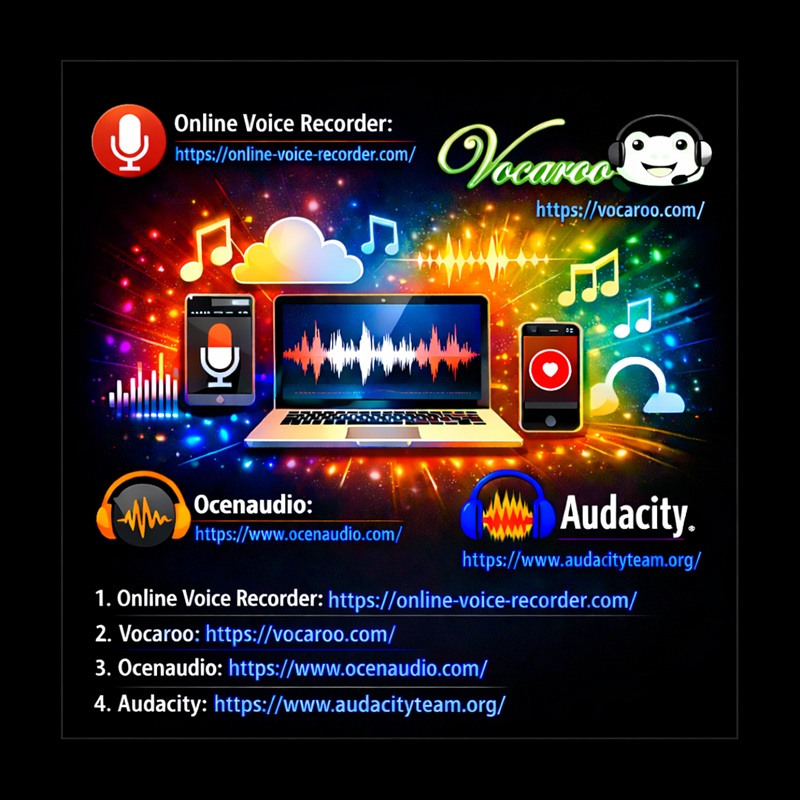
– 1. Online Voice Recorder
– Website:
https://online-voice-recorder.com/
– Allows recording directly from your browser and downloading in MP3.
–
– 2. Vocaroo
– Website:
https://vocaroo.com/
– Simple and quick for short recordings.
–
—
–
– For Windows and macOS:
–
– 1. Audacity (Free and open-source)
– Allows recording, editing, and exporting to MP3.
– Requires the « LAME MP3 » plugin for MP3 export.
– Official website:
https://www.audacityteam.org/
–
– 2. Ocenaudio (Free)
– Simple and intuitive interface, direct MP3 export.
– Official website:
https://www.ocenaudio.com/
–
– 3. Adobe Audition (Paid)
– Professional software for recording and audio editing.
– Export to MP3 and other formats.
– Official website:
https://www.adobe.com/products/audition.html
–
– 4. GarageBand (Free on macOS)
– Ideal for beginners, allows MP3 export.
– Official website:
https://www.apple.com/mac/garageband/
–
—
–
– For Linux:
–
– 1. Audacity (Free)
– Also works on Linux, with the LAME MP3 plugin.
– Official website:
https://www.audacityteam.org/
–
–
– 2. Ardour (Free and paid)
– Professional software for multitrack recording, MP3 export possible.
– Official website:
https://ardour.org/
–
—
–
– For Mobile (Android/iOS):
–
– 1. Voice Recorder (Android)
– Apps like « Easy Voice Recorder » or « Smart Recorder » allow MP3 export.
–
– 2. Voice Memos (iOS)
– Native app on iPhone, allows MP3 export via sharing options.
–
– 3. RecForge II (Android)
– Allows recording and exporting in MP3 with adjustable quality options.
–
– Note:
– Some software (like Audacity) requires installing an MP3 encoder (such as « LAME MP3 ») to export in MP3. Most modern software includes this feature directly.
–
—
–
———————————
———————————
———————————
‼️‼️ THANK YOU VERY MUCH.
———————————
‼️‼️ MediaMonkey IS A GREAT SOFTWARE TO LISTEN TO YOUR MUSIC:
‼️‼️ DOWNLOAD FREE HERE:
https://www.mediamonkey.com/
https://www.mediamonkey.com/download
‼️‼️ SUPPORT THE ARTISTS, BUY THE MUSIC
‼️‼️ THANK YOU VERY MUCH.
‼️‼️ MediaMonkey:
– Free Media Jukebox, Music Manager, CD Ripper.
– The media manager for serious collectors
– Let MediaMonkey organize your music/video collection and get it under control. On your PC and on your phone. So that you can focus on enjoying it.
– Manage
– Manage 100,000+ audio and video files, contemporary and classical music, audiobooks, podcasts or music videos; whether on a hard drive, a network, the cloud, or recorded from your CDs.
– Organize
– Organize your media and quickly get it under control. Automatically lookup and tag missing artwork/metadata, automatically organize and rename files, get rid of duplicates, and set up playlists.
– Share
– Share your music and video between Windows and Android, Apple devices (iPhone, iPad, iPod), TVs and other DLNA media players, or cloud services.
– Play
– Play high quality audio to your TV, stereo or any other UPnP/DLNA, chromecast, or bluetooth device, letting MediaMonkey convert unsupported formats and normalize volume levels.
– Convert
– Convert audio and video formats so that all your content can play on any of your devices.
– Customize
– Customize and extend MediaMonkey functionality with addons or skins to make it truly your own.
– Enjoy
– Enjoy your music. Whether you’re a collector, a small business owner, or DJ, MediaMonkey removes the tedium of managing your collection.
———————————
———————————
———————————
‼️‼️ THANK YOU VERY MUCH.
———————————
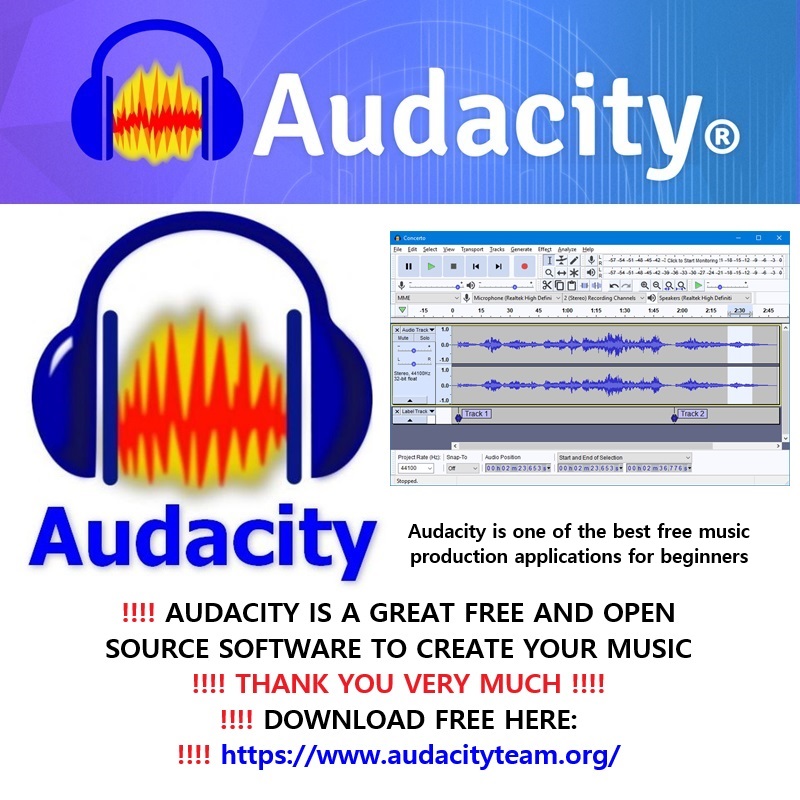
‼️‼️ AUDACITY IS A GREAT FREE AND OPEN SOURCE SOFTWARE TO CREATE YOUR MUSIC:
‼️‼️ AUDACITY IS ONE OF THE BEST FREE MUSIC PRODUCTION APPLICATIONS FOR BEGINNERS:
‼️‼️ DOWNLOAD FREE HERE:
https://www.audacityteam.org/
‼️‼️ SUPPORT THE ARTISTS, BUY THE MUSIC
‼️‼️ THANK YOU VERY MUCH.
‼️‼️ Audacity:
– What is Audacity?
– Audacity is the world’s most popular free software for recording and editing audio. So if you’re producing music, a podcast, or just playing around with audio, Audacity is for you.
– Who is Audacity for?
– Audacity is for anyone who wants to get creative with sound. It’s also the perfect tool for anyone who needs to quickly edit or export audio, for any reason.
– Is Audacity free?
– Yes! Audacity has always been and will always remain free for everyone.
– Is Audacity open source?
– Audacity is proudly open source. This means its source code remains open to anyone to view or modify.
– A dedicated worldwide community of passionate audio lovers have collaborated to make Audacity the well-loved software it is today. Many third-party plugins have also been developed for Audacity thanks to its open source nature.
–
—
–
– Can Audacity record sound from my microphone as an « MP3 » file?
– Yes, Audacity can record sound from your microphone and export it as an « MP3 » file. Here’s how to do it in a few simple steps:
–
– Steps to record with Audacity and export as « MP3 »:
–
– 1. Install Audacity:
– Download and install Audacity from the official website:
https://www.audacityteam.org/
–
– 2. Install the « LAME MP3 » plugin (required for « MP3 » export):
– When you first try to export as « MP3 », Audacity will prompt you to download the « LAME MP3 » plugin. Follow the instructions to install it.
–
– 3. Set up your microphone:
– Open Audacity.
– In the toolbar, select your microphone as the recording source (next to the record button).
– Make sure the recording volume is set correctly (volume slider on the right).
–
– 4. Record:
– Press the red « Record » button (●) to start recording.
– Speak into your microphone.
– Press « Stop » (■) to finish recording.
–
– 5. Export as « MP3 »:
– Go to File > Export > Export as « MP3 ».
– Choose a name and location for your file.
– Click Save.
–
– Notes:
– If the « LAME MP3 » plugin is not installed, Audacity will guide you to download it during your first « MP3 » export.
– You can also record in « WAV » or « AAC » and convert the file to « MP3 » later if needed.
–
– If you need help setting up your microphone or troubleshooting sound issues, feel free to ask!
–
– Note:
– Some software (like Audacity) requires installing an « MP3 » encoder (such as « LAME MP3 ») to export in « MP3 ». Most modern software includes this feature directly.
–
—
–
———————————
———————————
———————————
‼️‼️ Ocenaudio is a Free user-friendly, cross-platform audio editor that allows you to record, edit, and export audio files easily.
‼️‼️ This guide will walk you through the steps to record audio from your microphone and save it as an « MP3 » file.
–
– Ocenaudio (Free) Simple and intuitive interface, direct MP3 export.
– Official website:
https://www.ocenaudio.com/)
–
– Ocenaudio User Guide: Recording Microphone Audio to MP3
–
– Step 1: Download and Install Ocenaudio
– 1. Go to the Ocenaudio official website: https://www.ocenaudio.com/
– 2. Download the version compatible with your operating system (Windows, macOS, or Linux).
– 3. Follow the installation instructions to install Ocenaudio on your computer.
–
– Step 2: Set Up Your Microphone
– 1. Open Ocenaudio.
– 2. Ensure your microphone is connected to your computer.
– 3. Click on the « Preferences » button (usually found under the « Ocenaudio » menu on macOS or the « Edit » menu on Windows/Linux).
– 4. Go to the « Devices » tab.
– 5. Select your microphone as the « Input Device » from the dropdown menu.
– 6. Adjust the input volume if necessary.
–
– Step 3: Start Recording
– 1. Click the red **Record** button (circle icon) in the toolbar to start recording.
– 2. Speak into your microphone. Ocenaudio will display the audio waveform in real-time as you record.
– 3. Click the « Stop » button (square icon) when you are finished recording.
–
– Step 4: Edit Your Recording (Optional)
– 1. Use Ocenaudio’s editing tools to trim, cut, or enhance your recording if needed.
– 2. You can select parts of the audio waveform and apply effects or adjustments.
–
– Step 5: Export as « MP3 »
– 1. Go to File > Export Audio.
– 2. Choose a location on your computer to save the file.
– 3. In the « Save as type » dropdown menu, select « MP3 Files (.mp3) ».
– 4. Enter a name for your file.
– 5. Click « Save ».
–
– Troubleshooting Tips
– « No Sound? » Ensure your microphone is properly connected and selected as the input device in Ocenaudio’s preferences.
– « Low Volume? » Adjust the input volume in Ocenaudio’s preferences or on your microphone itself.
– « MP3 Export Issues? » Make sure you have the necessary codecs installed. Ocenaudio usually handles this automatically, but you may need to install additional software if issues persist.
–
– Conclusion from « Mistral AI »:
– You have successfully recorded audio from your microphone and exported it as an « MP3 » file using Ocenaudio.
– If you have any further questions or need additional help, feel free to ask!
–
—
–
———————————
———————————
———————————
‼️ 2026 03 06 ‼️ ✌👑 ‼️ VERY IMPORTANT: A VERY GOOD FREE MEDIA PLAYER AND FREE CODEC PACK: « VIDEOLAN VLC Media Player » WITH « K-Lite Codec Pack »: For watching videos and listening to music, I recommend installing « VIDEOLAN VLC Media Player », and you can install a free codec pack from the CODEC GUIDE website, and you should install « K-Lite Codec Pack » from the CODEC GUIDE website:
–
‼️ DOWNLOAD « VIDEOLAN VLC Media Player » FROM THE VIDEOLAN WEBSITE:
https://www.videolan.org/
‼️ DOWNLOAD « K-Lite Codec Pack » FROM THE CODEC GUIDE WEBSITE:
https://www.codecguide.com/download_kl.htm
https://www.codecguide.com/
–
—
–
– In VLC media player, you can switch to full screen in several ways:
–
– Double-click on the video.
–
– Press the F key.
–
– Go to the Video menu, then Full Screen.
–
– You can also click on the full screen icon at the bottom right of the window.
–
– To exit full screen:
–
– Press F again
–
– or press Esc
–
– or double-click on the video
–
– If full screen does not work well, I can also give you the method for Windows, with step-by-step screenshots adapted to your VLC interface.
–
—
–
– On Windows, in VLC, full screen is generally enabled with the F key, by double-clicking on the video image, through the Video > Fullscreen menu, or via the fullscreen button located in the control bar at the bottom of the window.
–
– Step-by-step method on Windows:
–
– Open your video in VLC.
–
– Look at the menu bar at the top of the window: Media, Playback, Audio, Video, etc.
–
– Click Video.
–
– Click Fullscreen. This switches the video to fullscreen mode.
–
– Faster method:
–
– Press the F key on the keyboard while VLC is active.
–
– Or double-click directly on the video image.
–
– To return to normal mode:
–
– Press Esc
–
– or press F again
–
– or double-click the video again
–
– Visual markers in the VLC interface on Windows:
–
– At the top: the menu bar.
–
– At the bottom: the playback bar with the play/pause buttons.
–
– At the bottom right: the button used to switch to fullscreen mode.
–
– If the Windows taskbar stays visible or if fullscreen behaves incorrectly, that is a problem that has already been reported on Windows with some VLC/display configurations.
–
– In that case, try this:
–
– close and reopen VLC
–
– start the video and then press F
–
– check that VLC is the active window
–
– also test Video > Fullscreen instead of double-clicking
–
– To make screenshots truly adapted to your VLC interface, send me a screenshot of your VLC window open on Windows.
–
—
–
———————————
———————————
———————————
‼️ THANK YOU VERY MUCH.
———————————
———————————
———————————
–
—
–
‼️ Venice Chat AI ‼️‼️ UNCENSORED « AI » ‼️‼️
https://venice.ai/chat
–
– 2026 02 12, Access the newest models, all in one place:
– GPT-5.2, Claude Opus 4.5, Grok 4.1,
– Gemini 3, Nano Banana, Kling 2.6,
– Veo 3.1, Sora 2, and more.
– TRY IT NOW ON VENICE
–
– Many models, one interface:
– You can now access the world’s leading AI models alongside Venice’s suite of fully private and uncensored models, all from the Venice interface.
– Seamlessly switch between Claude 4.5 Opus, Nano Banana Pro, Sora 2 Pro, and many more in the same chat.
–
– All requests are anonymized:
– When using these models, the companies can see your generations, but your requests are anonymized.
– Venice submits generations on your behalf without tying them to your personal information.
–
– Easy credits system:
– These models use credits, which you can easily top up in your Venice account with USD or crypto.
– Receive $10 in free credits when upgrading to Pro.
–
—
–
‼️ Gab AI ‼️‼️ UNCENSORED « AI » ‼️‼️
https://gab.ai/
– Get our new Gab AI App! Now On iOS and Android App Stores:
https://apps.apple.com/us/app/gab-ai/id6759009193
https://play.google.com/store/apps/details?id=ai.gab.gabaiapp
– If you have any issues, please email:
ai@gab.com
–
‼️ Gabby: UNCENSORED AI Image Generator – Gab AI
https://gab.ai/start/gabby
–
‼️ Gab.com / Gab Social ‼️‼️ UNCENSORED Social Media like Twitter ‼️‼️
https://gab.com
– Frederic Descamps on gab.com:
https://gab.com/Vrai_Antichrist
– Upgrade To GabPRO:
https://pro.gab.com
– Login to Gab Ads:
https://grow.gab.com
–
‼️ An Overview of Gab AI
– This is a quick overview of the Gab AI dashboard and how it works to help you manage all of the top AI models in one spot.
– Learn more and check it out at https://gab.ai
https://www.youtube.com/watch?v=S-AxNgAG4Rw
https://youtu.be/S-AxNgAG4Rw
https://www.youtube.com/@GabdotAI/videos
–
‼️ Gab AI: All The Top AI Models In One Spot
– Say hello to the future of artificial intelligence.
– Gab AI brings you all the top AI models: ChatGPT, Claude, Gemini, Grok, and more, into one powerful, seamless platform.
– No more jumping between sites.
– No more chaos.
– Just pure AI productivity.
https://www.youtube.com/watch?v=zcpgYqLwLtY
https://youtu.be/zcpgYqLwLtY
https://www.youtube.com/@GabdotAI/videos
–
—
–
‼️ THE BEST ARTIFICIAL INTELLIGENCE « AI » WEBSITES & THE BEST AI WEBSITES FOR CREATING IMAGES
‼️ LINKS TO THE BEST ARTIFICIAL INTELLIGENCE « AI » WEBSITES AND, LINKS TO THE BEST « AI » WEBSITES FOR CREATING IMAGES, THAT I KNOW CURENTLY
‼️‼️ HERE:
https://pastebin.com/VzNbyKEL
–
‼️ ABOUT TO CREATE IMAGES WITH ARTIFICIAL INTELLIGENCE (AI) : I CREATE IMAGES WITH « SORA » : TO USE « SORA », WHICH IS THE BEST TOOL TO CREATE IMAGES AND VIDEOS, THAT I HAVE USED, YOU MUST SUBSCRIBE TO « ChatGPT » ($24.20 US per month), AND YOU MUST CREATE A FREE ACCOUNT TO « OpenAI » (THE LINK TO « SORA » IS AVAILABLE IN « ChatGPT »).
–
https://chatgpt.com/
https://sora.com/explore
https://auth.openai.com/log-in
–
—
–
– 2026 03 31, Sora (the AI video generation tool by OpenAI) is being shut down.
–
– OpenAI officially announced the discontinuation of Sora on March 24, 2026. The Sora app is scheduled to shut down on April 26, 2026, and its API will be discontinued later on September 24, 2026.
–
– Because of this shutdown, users need to find alternatives to Sora for creating AI-generated content.
–
– One good alternative is Ideogram AI:
– Ideogram AI is a generative AI platform that creates high-quality images from text prompts.
– It is especially strong at creating images with clear and readable text.
– It can be used as an alternative to Sora for visual content creation, especially for images and design.
–
– You can explore it here:
– https://ideogram.ai/t/explore :
– This page is part of Ideogram AI, a generative AI platform that creates images from text prompts.
– It allows users to explore images generated by the community, discover styles, and see how prompts are used to create visuals.
– Ideogram is especially known for its ability to generate clear and readable text inside images.
–
– Another alternative is Adobe Firefly:
– https://firefly.adobe.com/ :
– This is Adobe Firefly, a generative AI platform developed by Adobe.
– It enables users to create and edit images, videos, audio, and graphics using text prompts.
– It is integrated into Adobe Creative Cloud and is designed for professional creative workflows, with a strong focus on commercially safe content generation.
–
– In summary:
– Sora is being closed (April 26, 2026).
– You need to switch to other AI tools.
– Ideogram AI and Adobe Firefly are strong alternatives you can use.
–
—
–
‼️ 2026 02 28 ‼️ ✌👑 ‼️ VERY IMPORTANT: THE 14 ARTIFICIAL INTELLIGENCES THAT I RECOMMEND ARE:
–
– [01] Google AI Studio ‼️‼️ THE BEST « AI » WEBSITE ‼️‼️ Google . com « AI » ‼️‼️
https://aistudio.google.com/prompts/new_chat
–
– [01] Google Gemini AI ‼️‼️ Google . com « AI » ‼️‼️
https://gemini.google.com/app
–
– [02] Claude AI
https://claude.ai/login
–
– [03] Perplexity AI
https://www.perplexity.ai/
–
– [04] HuggingChat AI ‼️‼️ THE BEST FREE « AI » WEBSITE ‼️‼️
https://huggingface.co/chat/
–
– [05] ChatGPT AI ‼️‼️ VERY GOOD « AI » ‼️‼️
https://chatgpt.com/
https://sora.com/explore
https://auth.openai.com/log-in
–
– [06] Gab AI ‼️‼️ UNCENSORED « AI » ‼️‼️
https://gab.ai/
https://play.google.com/store/apps/details?id=ai.gab.gabaiapp
https://apps.apple.com/us/app/gab-ai/id6759009193
–
– [07] Venice Chat AI ‼️‼️ UNCENSORED « AI » ‼️‼️
https://venice.ai/chat
–
– [08] Microsoft Copilot AI
https://copilot.microsoft.com/chats/
–
– [09] Grok AI ‼️‼️ X . com « AI » ‼️‼️
https://grok.com/
https://x.com/i/grok
–
– [10] Mistral AI
https://chat.mistral.ai/chat
–
– [11] Meta AI ‼️‼️ FACEBOOK « AI » ‼️‼️
https://www.meta.ai/
–
– [12] OpenAI API AI ‼️‼️ FREE OPEN SOURCE « AI » ‼️‼️
https://platform.openai.com
–
– [13] DeepSeek AI CHINA [BE CAREFUL BECAUSE CHINA]
https://chat.deepseek.com/
–
– [14] Alice AI [AIZEN] YANDEX RUSSIA [BE CAREFUL BECAUSE RUSSIA]
https://alice.yandex.ru/
–
—
–
‼️ WE MUST SUPPORT GAME DEVELOPERS. BUY THE GAMES
‼️ THANK YOU VERY MUCH
–
—
–
‼️ GREAT FREE SOFTWARES TO LISTEN TO YOUR MUSIC AND TO CREATE YOUR MUSIC
‼️‼️ HERE:
https://pastebin.com/auMDG9eC
–
‼️‼️‼️ IMPORTANT DOCUMENT: YOUTUBE CHANNELS OF THE RECORDS LABELS (AND FESTIVALS) OF THE SATANISTS AND RELEASES AND PROMOTIONS TO HELP AND TO PUBLICIZE GOOD METAL BANDS (AND OTHER BANDS) AND COLLABORATE IN THEIR DIFFUSION
‼️‼️‼️ HERE:
https://pastebin.com/mGVBgPWM
–
‼️‼️ LeGamerInfini DOCUMENTS HERE:
https://pastebin.com/u/LeGamerInfini
–
‼️ FOUR TRANSLATORS WEBSITES & A SPELL CHECKER & GRAMMAR CHECKER & STYLE CHECKER
‼️ ЧЕТЫРЕ ПЕРЕВОДЧИКА И СРЕДСТВО ПРОВЕРКИ ОРФОГРАФИИ И ГРАММАТИКИ И СТИЛЯ
‼️‼️ HERE ЗДЕСЬ:
https://pastebin.com/9tyEQAk0
–
‼️‼ VERY IMPORTANT DOCUMENT ABOUT THE DISASTERS AND THE NATURAL PHENOMENA RARE AND UNUSUAL OF THE END TIMES:
‼️‼️ BIBLE: Isaiah 24:19 There will be earthquakes, and the earth will split open…
‼️ LINKS TO MONITOR THE NATURAL DISASTERS AND THE NATURAL PHENOMENA RARE AND UNUSUAL
‼️‼️ HERE:
https://pastebin.com/pFHe4smi
–
‼️‼️ VERY IMPORTANT: THE SATANISTS PRODUCE THE BEST MUSIC OF THE WORLD BECAUSE THE SATANISTS ARE FREE: THE PROPHECIES OF THE BIBLE ABOUT THE MUSIC AND ABOUT THE ANTICHRIST ARE PARTIALLY FULFILLED: THE ANTICHRIST IS A MUSIC CREATOR WHO CREATES MUSIC WITH SATANISTS, AND SOMETIMES WITH SOME HUMANS WHO ARE NOT SATANISTS: THE ANTICHRIST HAS A GIFT FOR MUSIC: AS IN THE BIBLE, THE ANTICHRIST IS A GOOD COMPOSER, THE ANTICHRIST HAS HIS MUSICAL STYLE WHICH IS VERY ORIGINAL: THE CHRISTIANS ARE LOCKED IN A MUSICAL STRAITJACKET IN THE PURPOSE TO PLEASE TO GOD, WHILE THE SATANISTS ARE, QUITE, FREE, AT THE LEVEL MUSICAL:
https://www.facebook.com/fred.infini/posts/pfbid02LAbWrbPsUYs8jarrCd6zTMfbh1e5eM5uoFMNPTfB3tqmZhhS6buxA5yFoGvKGLuyl
https://vk.com/vrai_antichrist?w=wall313976604_981
–
– The antichrist doesn’t have the time to create his music by himself: it is the satanists who create and disseminate the music that has been imagined by the antichrist…
https://www.twitch.tv/graemerz
https://www.twitch.tv/geisterweltnights
https://www.twitch.tv/voxsinistra
https://www.twitch.tv/mortasha_kinski
https://www.twitch.tv/virtualgothnight
–
– The Satanists produce better music than the Christians because the Satanists are quite free, while the Christians are not quite free because the Christians are obliged to obey to God…:
–
– The music of the Satanists is more diverse and creative than the music of the Christians, the Satanists have more creativity than the Christians about music, because the Satanists are freer than the Christians who have to please to God and who have to obey to God, these are the reasons why, the Satanists produce better music than the music of the Christians, because the Satanists do not have the same limits as the Christians…:
–
‼️‼️ LINKS TO FOLLOW ME ON SOCIAL MEDIAS:
‼️‼️ FOLLOW ME ON SOCIAL MEDIAS:
‼️‼️ https://linktr.ee/frederic_descamps
https://www.facebook.com/fred.infini.3
https://vk.com/vrai_antichrist
https://x.com/Vrai_Antichrist
https://real-antichrist.com
https://www.instagram.com/antichristlucifer
My address:
Frederic Descamps
Rue Vlogaert 22 bt 20
bt 20, Sonnette Demaret-Descamps, 4eme etage.
1060 Saint-Gilles (Brussels)
Belgique (Belgium)
‼️‼️ Look at where I live with Google Maps:
https://www.google.com/maps/@50.8326834,4.3407022,3a,75y,191.34h,107.73t/data=!3m6!1e1!3m4!1sD5p20ecdQt_lmNSq504ShQ!2e0!7i16384!8i8192
–
‼️‼️ THIS SONG IS AWESOME ‼️‼️ VALKEAT – My Crown (Official Lyric Video)
https://youtu.be/lcm9PTnYu-Q
‼️‼️ GREAT BAND, THIS BAND MUST BE SUPPORTED. SUPPORT THE ARTISTS, BUY THE MUSIC
–
‼️ I CREATE DOCUMENTS TO INFORM, IT’S TOTALLY FREE, I DON’T WANT GIFTS
‼️ I WANT TO REMAIN INDEPENDENT, I WANT TO RENDER SERVICE FOR FREE IN COMPLETE INDEPENDENCE
–
‼️‼️ RETROGAMING, EMULATION, EMULATORS: IMPORTANT LINKS ABOUT RETROGAMING
‼️‼️ HERE:
https://pastebin.com/we4PRcce
–
‼️‼️ BEST GAME CONTROLLERS & BRANDS & YOUTUBE CHANNELS REVIEWING GAME CONTROLLERS & OTHER THINGS
‼️‼️ THE BEST GAME CONTROLLERS AND BRANDS OF GAME CONTROLLERS (WEBSITES) AND YOUTUBE CHANNELS REVIEWING GAME CONTROLLERS AND OTHER INTERESTING THINGS ABOUT GAME CONTROLLERS
‼️‼️ HERE:
https://pastebin.com/N0KG3rXQ
–
‼️‼️ THE LINKS OF THE BEST MINI PC BRANDS AND YOUTUBE CHANNELS ABOUT MINI PCs AND THE BEST LAPTOP BRANDS
‼️‼️ HERE:
https://pastebin.com/tRzGGg6K
–
‼️‼️ CYBERSECURITY: TIPS AND LINKS TO FIGHT VIRUSES AND INFECTIONS AND MALICIOUS SITES
‼️‼️ HERE:
https://pastebin.com/A0WSRYTA
–
‼️‼️ THE BEST INTERNET BROWSERS AND THE BEST SEARCH ENGINES AND THE BEST META SEARCH ENGINES
‼️‼️ HERE:
https://pastebin.com/qy9BzuQc
–
‼️‼️ VIDEO CONVERTER & EDITOR & RECORDER & DOWNLOADER: FOUR BASIC & INEXPENSIVE SOFTWARES & EXTENSIONS
‼️‼️ FOUR BASIC AND INEXPENSIVE SOFTWARES THAT I HAVE USED FOR MY VIDEOS AND SOFTWARES AND EXTENSIONS FOR WEB BROWSER TO DOWNLOAD VIDEOS
‼️‼️ HERE:
https://pastebin.com/KVZybqL4
–
‼️ FREE ONLINE FILE CONVERTER: 6 FREE WEBSITES TO CONVERT YOUR FILES ONLINE IN THE FORMAT THAT YOU DESIRE
‼️‼️ HERE:
https://pastebin.com/dgWd5MTN
–
‼️‼️ CROWDFUNDING SITES
‼️‼️ CROWDFUNDING IS A WAY OF RAISING MONEY TO FINANCE PROJECTS AND BUSINESSES
‼️‼️ IT ENABLES FUNDRAISERS TO COLLECT MONEY FROM A LARGE NUMBER OF PEOPLE VIA ONLINE PLATFORMS
‼️‼️ HERE:
https://pastebin.com/1wak2bdY
–
‼️ THE BEST WEBSHOPS: WEBSHOPS IN WHICH WE CAN TRUST: TRUSTED WEBSHOPS
‼️‼️ HERE:
https://pastebin.com/sNC92i2j
–
‼️ LINKS TO TV NEWS CHANNELS & IMPORTANT LINKS TO WEBSITES FOR FOOTBALL (SOCCER) (LIVE & SUMMARIES)
‼️‼️ HERE:
https://pastebin.com/1ZDfq3kt
–
‼️ THE BEST ARTIFICIAL INTELLIGENCE « AI » WEBSITES & THE BEST AI WEBSITES FOR CREATING IMAGES
‼️‼️ HERE:
https://pastebin.com/VzNbyKEL
–
‼️ #EndTimes ‼️
–
#Coldwave #Darkwave #DarkTechno #DarkDance #CatRave #Gothic #GothicRock #GothMusic #GothDJ
–
#SATAN #LUCIFER #DEVIL #DIABLE #SATANISM #SATANISME #HailSatan #SATANIC #FallenAngel #METAL #666FD #APOCALYPSE #BAPHOMET
–
#AFP #Journalist #CNN #LCI #Diplomacy
–
#Bible #Religion #BibleStudy #Theology #Scripture #Prophecy #Christianity #Christian #Islam #Chrétien
–
#IndieDev #IndiegameDev #GameDev #SoloDev
–
#infoviva #LN24
–
#TheSatanicTemple #SatanicTemple #ChurchOfSatan #666😈 #666
–
—
 The Real Antichrist
Laisser un commentaire