‼️ 2026 04 08 ‼️ ✌👑 ‼️ VERY IMPORTANT: AUTOMATICALLY TRANSCRIBE OUR SPOKEN WORDS WITH ARTIFICIAL INTELLIGENCE “AI” FROM AN “MP3” OR “FLAC” FILE IN ORDER TO WORK FASTER WITH “AI”: AI TRANSCRIPTION TOOLS FOR “MP3” AND “FLAC”: FREE AND PAID OPTIONS, RECORDERS, AND VERIFIED SERVICES:
–
‼️ Which artificial intelligences can transcribe text from an « MP3 » or « FLAC » file, like Mistral AI?
–
– ‼️ 2026 04 06 ‼️ ✌👑 ‼️ VERY IMPORTANT: ONLINE VOICE RECORDERS AND MP3 RECORDING SOFTWARE (MULTI-PLATFORM) FOR USING « MISTRAL AI » TO TRANSCRIBE CONTENT (E.G., CONVERT A VOICE RECORDING INTO TEXT):
– ‼️‼️ FULL PUBLICATION ON FACEBOOK, AND ON MY WEBSITE:
– https://www.facebook.com/fred.infini/posts/pfbid04AtferMFpTmgAhF17WehadRvYymEEhTCVnv37YR2CzD9of3DTkaU9yHzx7jQUxfdl
– https://real-antichrist.com/2026/04/06/7805/
– https://vk.com/vrai_antichrist?w=wall313976604_1767
– https://www.facebook.com/fred.infini.3
– https://real-antichrist.com
–
– ‼️‼️ GREAT FREE SOFTWARES TO LISTEN TO YOUR MUSIC AND TO CREATE YOUR MUSIC
– ‼️‼️ HERE:
– https://real-antichrist.com/2026/04/06/7794/
– https://pastebin.com/auMDG9eC
–
—
–
– Online (No Installation):
–
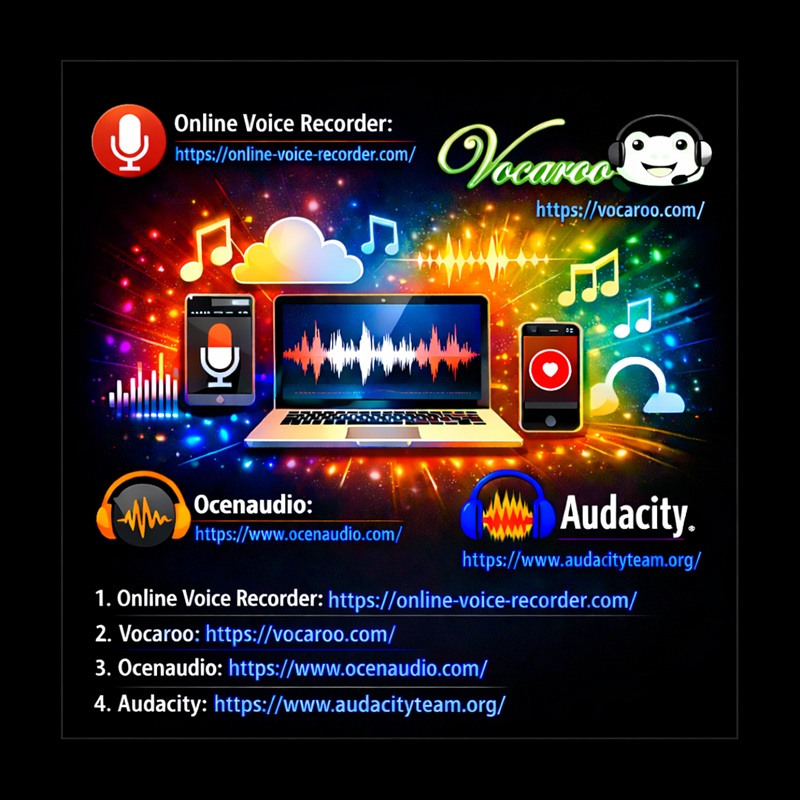
– 1. Online Voice Recorder
– Website:
– https://online-voice-recorder.com/
– Allows recording directly from your browser and downloading in MP3.
–
– 2. Vocaroo
– Website:
– https://vocaroo.com/
– Simple and quick for short recordings.
–
—
–
– For Windows and macOS:
–
– Ocenaudio (Free) Simple and intuitive interface, direct FLAC export.
– Official website:
– https://www.ocenaudio.com/
–
– 1. Audacity (Free and open-source)
– Allows recording, editing, and exporting to MP3.
– Requires the « LAME MP3 » plugin for MP3 export.
– Official website:
– https://www.audacityteam.org/
–
—
–
– FREE AI TRANSCRIPTION OPTIONS:
–
– A) BEST TRULY FREE OR CLEARLY FREE ONGOING OPTIONS:
–
– OpenAI Whisper
– https://github.com/openai/whisper
– Free open-source software under the MIT License.
–
– Google AI Studio / Gemini API
– https://aistudio.google.com/prompts/new_chat
– https://gemini.google.com/app
– Official free tier documented.
–
– Mistral AI
– https://chat.mistral.ai/chat
– Official free API tier documented.
–
– Microsoft Azure Speech Services
– https://azure.microsoft.com/en-us/products/ai-services/speech-to-text
– Free (F0) tier with 5 audio hours per month.
–
– Gladia
– https://gladia.io
– Free tier with up to 10 hours of transcription per month.
–
– Speechmatics
– https://www.speechmatics.com
– Free tier with 480 minutes per month.
–
– B) FREE CREDITS OR LIMITED FREE TRIAL:
–
– Deepgram
– https://deepgram.com
– $200 in free credit.
–
– AssemblyAI
– https://www.assemblyai.com
– $50 in free credits.
–
– Google Cloud Speech-to-Text
– https://cloud.google.com/speech-to-text
– Up to $300 in Google Cloud free credits for new customers.
–
– Amazon Transcribe
– https://aws.amazon.com/transcribe
– 60 minutes per month for 12 months.
–
– Rev AI
– https://www.rev.ai
– 5 hours in free credits, no credit card required.
–
– C) VERIFIED TRANSCRIPTION, BUT NOT CLEARLY FREE FOR THIS SPECIFIC USE CASE FROM THE OFFICIAL PAGES I CHECKED:
–
– Perplexity AI
– https://www.perplexity.ai/
–
– OpenAI API AI
– https://platform.openai.com
–
—
–
– FREE AI TRANSCRIPTION OPTIONS:
–
– A) BEST TRULY FREE OR CLEARLY FREE ONGOING OPTIONS:
–
– OpenAI Whisper
– https://github.com/openai/whisper
– Free open-source software under the MIT License.
–
– Google AI Studio / Gemini API
– https://aistudio.google.com/prompts/new_chat
– https://gemini.google.com/app
– Official free tier documented.
–
– Mistral AI
– https://chat.mistral.ai/chat
– Official free API tier documented.
–
– Microsoft Azure Speech Services
– https://azure.microsoft.com/en-us/products/ai-services/speech-to-text
– Free (F0) tier with 5 audio hours per month.
–
– Gladia
– https://gladia.io
– Free tier with up to 10 hours of transcription per month.
–
– Speechmatics
– https://www.speechmatics.com
– Free tier with 480 minutes per month.
–
– B) FREE CREDITS OR LIMITED FREE TRIAL:
–
– Deepgram
– https://deepgram.com
– $200 in free credit.
–
– AssemblyAI
– https://www.assemblyai.com
– $50 in free credits.
–
– Google Cloud Speech-to-Text
– https://cloud.google.com/speech-to-text
– Up to $300 in Google Cloud free credits for new customers.
–
– Amazon Transcribe
– https://aws.amazon.com/transcribe
– 60 minutes per month for 12 months.
–
– Rev AI
– https://www.rev.ai
– 5 hours in free credits, no credit card required.
–
– C) VERIFIED TRANSCRIPTION, BUT NOT CLEARLY FREE FOR THIS SPECIFIC USE CASE FROM THE OFFICIAL PAGES I CHECKED:
–
– Perplexity AI
– https://www.perplexity.ai/
–
– OpenAI API AI
– https://platform.openai.com
–
—
–
– ALL LIST (FREE AND PAID):
–
– [01] Google AI Studio / Gemini API
– Main page:
– https://aistudio.google.com/prompts/new_chat
– https://gemini.google.com/app
– Official audio documentation:
– https://ai.google.dev/gemini-api/docs/audio
– Official pricing:
– https://ai.google.dev/gemini-api/docs/pricing
– Comment:
– Google officially supports speech-to-text / audio transcription.
– The official Gemini audio documentation explicitly supports MP3 and FLAC.
– Free status:
– Yes.
– Google officially documents a free tier for Gemini API usage.
–
– [02] Perplexity AI
– Main page:
– https://www.perplexity.ai/
– Official file upload documentation:
– https://www.perplexity.ai/help-center/en/articles/10354807-file-uploads
– Comment:
– Perplexity officially says that audio and video files can be uploaded and automatically transcribed into searchable text.
– The official file upload page explicitly lists audio/flac and audio/mp3.
– Free status:
– Unclear for this exact audio-transcription use case.
– Perplexity is free to use in general, but I did not verify a clearly documented free transcription allowance for uploaded audio files from the official pages I checked.
–
– [03] OpenAI API AI
– Main page:
– https://platform.openai.com
– Official audio guide:
– https://developers.openai.com/api/docs/guides/audio/
– Official speech-to-text guide:
– https://developers.openai.com/api/docs/guides/speech-to-text/
– Official transcription reference:
– https://developers.openai.com/api/reference/resources/audio/subresources/transcriptions/methods/create/
– Official pricing:
– https://developers.openai.com/api/docs/pricing/
– Comment:
– OpenAI officially supports speech-to-text transcription.
– Important note:
– OpenAI’s current official documentation is not perfectly consistent about FLAC.
– The official speech-to-text guide explicitly lists mp3, mp4, mpeg, mpga, m4a, wav, and webm.
– The official transcription API reference explicitly lists flac, mp3, mp4, mpeg, mpga, m4a, ogg, wav, and webm.
– So OpenAI is definitely a verified transcription solution, but the current official FLAC documentation is inconsistent across OpenAI pages.
– Free status:
– No clearly documented free API transcription tier was verified in the official pages I checked.
–
– [04] Mistral AI
– Main page:
– https://chat.mistral.ai/chat
– Official speech-to-text documentation:
– https://docs.mistral.ai/capabilities/audio/speech_to_text
– Official usage tiers:
– https://docs.mistral.ai/deployment/ai-studio/tier
– Comment:
– Mistral officially provides speech-to-text / transcription.
– The official documentation says Mistral’s Audio & Transcription services convert speech to text and include offline and realtime transcription.
– Important note:
– The transcription capability is clearly verified.
– However, in the official pages I checked, the format list was less explicit than Google or Perplexity about naming MP3 and FLAC one by one.
– Free status:
– Yes.
– Mistral officially documents a free API tier with restrictive rate limits.
–
– [05] OpenAI Whisper
– Official repository:
– https://github.com/openai/whisper
– Official license:
– https://github.com/openai/whisper/blob/main/LICENSE
– Comment:
– Whisper is a real transcription / speech-recognition model from OpenAI.
– The official repository directly shows command-line transcription examples with audio.flac and audio.mp3.
– Free status:
– Yes.
– Whisper is open-source under the MIT License.
– Important note:
– It is free software, but you must run it on your own hardware or infrastructure.
–
– [06] Deepgram
– Main page:
– https://deepgram.com
– Official supported formats documentation:
– https://developers.deepgram.com/docs/supported-audio-formats
– Official pricing:
– https://deepgram.com/pricing
– Comment:
– Deepgram officially supports transcription and explicitly supports MP3 and FLAC.
– Free status:
– Yes, but as free credits, not an unlimited permanent free plan.
– Deepgram officially offers $200 in free credit.
–
– [07] AssemblyAI
– Main page:
– https://www.assemblyai.com
– Official supported file types documentation:
– https://support.assemblyai.com/articles/2616970375-what-audio-and-video-file-types-are-supported-by-your-api
– Official pricing:
– https://www.assemblyai.com/pricing
– Comment:
– AssemblyAI officially supports speech-to-text.
– Its official support page explicitly lists .flac and .mp3 among supported file types.
– Free status:
– Yes, but as free credits, not an unlimited permanent free plan.
– AssemblyAI officially offers $50 in free credits.
–
– [08] Google Cloud Speech-to-Text
– Main page:
– https://cloud.google.com/speech-to-text
– Official audio encoding documentation:
– https://docs.cloud.google.com/speech-to-text/docs/encoding
– Official pricing:
– https://cloud.google.com/speech-to-text/pricing
– Official free offer:
– https://cloud.google.com/free
– Comment:
– Google Cloud Speech-to-Text is a real professional transcription service.
– FLAC is explicitly documented.
– MP3 is also documented in Google’s official encoding documentation, but with an important note that MP3 is a beta feature in v1p1beta1.
– Free status:
– Yes, but as new-customer credits, not a permanent unlimited free plan.
–
– [09] Amazon Transcribe
– Main page:
– https://aws.amazon.com/transcribe
– Official API reference:
– https://docs.aws.amazon.com/transcribe/latest/APIReference/API_StartTranscriptionJob.html
– Official pricing:
– https://aws.amazon.com/transcribe/pricing/
– Official free tier page:
– https://aws.amazon.com/pm/transcribe/
– Comment:
– Amazon Transcribe is a verified speech-to-text service from AWS.
– Its API reference explicitly lists mp3 and flac as valid media formats.
– Free status:
– Yes, but as a time-limited free tier.
– AWS officially says the free tier includes 60 minutes per month for 12 months.
–
– [10] Microsoft Azure Speech Services
– Main page:
– https://azure.microsoft.com/en-us/products/ai-services/speech-to-text
– Official compressed audio input documentation:
– https://learn.microsoft.com/en-us/azure/ai-services/speech-service/how-to-use-codec-compressed-audio-input-streams
– Official SDK enum documentation:
– https://learn.microsoft.com/en-us/dotnet/api/microsoft.cognitiveservices.speech.audio.audiostreamcontainerformat?view=azure-dotnet
– Official pricing:
– https://azure.microsoft.com/en-us/pricing/details/speech/
– Comment:
– Azure Speech is a real transcription service.
– Microsoft’s SDK docs expose MP3 and FLAC stream container formats.
– Microsoft also notes that some compressed-file workflows may require conversion to WAV first depending on the input path.
– Free status:
– Yes.
– Azure officially documents a Free (F0) tier with 5 audio hours free per month for speech-to-text.
–
– [11] Rev AI
– Main page:
– https://www.rev.ai
– Free signup page:
– https://www.rev.ai/auth/signup
– Comment:
– Rev AI is a verified speech-to-text service.
– Free status:
– Yes, but as one-time free credits.
– Rev AI officially offers 5 hours in free credits and says no credit card is required.
–
– [12] Gladia
– Main page:
– https://gladia.io
– Official supported formats documentation:
– https://docs.gladia.io/chapters/limits-and-specifications/supported-formats
– Official pricing:
– https://www.gladia.io/pricing
– Comment:
– Gladia is a verified transcription service.
– Its documentation says it supports almost all types of audio or video files, and its official materials describe it as an audio transcription API.
– Free status:
– Yes.
– Gladia officially says its free tier includes up to 10 hours of transcription free of charge each month.
–
– [13] Speechmatics
– Main page:
– https://www.speechmatics.com
– Official batch input documentation:
– https://docs.speechmatics.com/speech-to-text/batch/input
– Official pricing:
– https://www.speechmatics.com/pricing
– Comment:
– Speechmatics is a verified transcription service.
– Its official documentation explicitly supports mp3 and flac.
– Free status:
– Yes.
– Speechmatics officially offers a free tier with 480 minutes per month and no credit card required.
–
– NOT KEPT IN THE FINAL CLEANED LIST:
–
– Gab AI
– Removed, as requested.
–
– Vosk
– https://alphacephei.com/vosk/
– Vosk is clearly a real offline speech-recognition toolkit.
– However, during this check, I did not find equally explicit official MP3 / FLAC file-format confirmation in the same clear way as the other tools above.
– So I am not keeping it in this final cleaned list for this specific MP3 / FLAC question.
–
—
–
———————————
———————————
———————————
‼️ THANK YOU VERY MUCH.
———————————
———————————
———————————
‼️ VIDEO CONVERTER AND EDITOR AND RECORDER AND DOWNLOADER AND EXTENSIONS FOR WEB BROWSER:
———————————
‼️ FOUR BASIC AND INEXPENSIVE SOFTWARES THAT I HAVE USED FOR MY VIDEOS AND SOFTWARES AND EXTENSIONS FOR WEB BROWSER TO DOWNLOAD VIDEOS:
—
1] Apowersoft Video Converter Studio
https://www.apowersoft.com/video-converter-studio.html
https://www.apowersoft.com/store
https://www.apowersoft.com/support
https://www.google.com/search?q=Apowersoft+Video+Converter+Studio
—
2] WinX HD Video Converter Deluxe is now Winxvideo AI
https://www.winxdvd.com/winxvideo-ai/
https://www.winxdvd.com/hd-video-converter-deluxe/registered-update.htm
—
3] EaseUS VideoKit (This software has evolved, in the past it was a simple video converter)
https://multimedia.easeus.com/videokit/
Plus this one not used by the antichrist:
https://multimedia.easeus.com/video-editor/
Plus this one:
https://multimedia.easeus.com/video-downloader/
—
4] EaseUS Recexperts (to record videos) (warning: Recexperts is a very basic software, not for the professionals):
https://www.easeus.com/landing/solution/2022/screen-recorder-new.html
—
5] To download videos, you can use:
https://multimedia.easeus.com/video-downloader/
https://www.internetdownloadmanager.com/download.html
https://www.downloadhelper.net/
https://addons.mozilla.org/fr/firefox/addon/video-downloadhelper/
https://addons.mozilla.org/fr/firefox/addon/video-downloader-profession/
https://www.winxdvd.com/winxvideo-ai/
https://www.5kplayer.com/
—
———————————
———————————
‼️ FREE ONLINE FILE CONVERTER: 6 FREE WEBSITES TO CONVERT YOUR FILES ONLINE IN THE FORMAT THAT YOU DESIRE:
———————————
—
1] online-convert
https://www.online-convert.com
—
2] FreeFileConvert
https://www.freefileconvert.com
—
3] cloudconvert
https://cloudconvert.com
—
4] convertio
https://convertio.co
—
5] foxit
https://www.foxit.com/pdf-to-jpg
https://www.foxit.com/jpg-to-pdf
—
6] adobe
https://www.adobe.com/acrobat/online/convert-pdf.html
—
———————————
———————————
‼️ EaseUS AI Media Player: VERY GOOD MEDIA PLAYER WITH ARTIFICIAL INTELLIGENCE (AI)
‼️ YOU CAN CREATE SUBTITLES FOR THE VIDEOS
‼️ EaseUS AI Media Player CAN GENERATE VIDEO SUBTITLES WITH ONE CLICK
‼️ AND YOU CAN READ SUBTITLES WITH VIDEOS WITH THE .srt FILES
———————————
– Here is the link to download the EaseUS AI Media Player, which is probably necessary in the purpose of being able to see the English subtitles:
– You must put the .srt file in the same directory as the video file, and launch the video with EaseUS AI Media Player.
– To have the .srt file and the video file, you must download the video from YouTube with EaseUS Video Downloader.
– The .srt file is the subtitle file for having subtitles with the video.
https://multimedia.easeus.com/video-downloader/
https://multimedia.easeus.com/video-player/
https://multimedia.easeus.com/fr/video-player/
https://multimedia.easeus.com/video-player/video-player-buy.html
–
– EaseUS AI Media Player Better with AI-generated subtitles
– Lossless playback of videos in any format
– Generate corresponding subtitles with AI
– Support translating subtitles into over 30 languages
– Support bilingual subtitle display
–
– What is EaseUS AI Media Player:
– The best video player for any video format
– EaseUS AI Media Player is your first choice for video playback in Windows.
– With it, you can play MP4, AVI and other formats.
– You can also use the AI in the player to generate video subtitles or translate them directly.
– No need to search and download subtitles online anymore!
–
– AI-Generated Subtitles:
– Built-in AI model can generate video subtitles with one click
– This media player for Windows has a built-in AI model to recognize the dialogue in the video and generate subtitles,
– and can generate corresponding subtitles for videos in any format.
–
– AI Subtitle Translation:
– Generate video subtitles in one click with built-in AI model
– This video player supports subtitle translation into more than 30 languages with AI.
– Whether it is an AI-generated subtitle file or a locally uploaded subtitle file,
– it can be translated quickly and accurately.
–
———————————
———————————
———————————
‼️‼️ THANK YOU VERY MUCH.
———————————
———————————
———————————
–
—
–
‼️ FOUR TRANSLATORS WEBSITES & A SPELL CHECKER & GRAMMAR CHECKER & STYLE CHECKER
‼️ ЧЕТЫРЕ ПЕРЕВОДЧИКА И СРЕДСТВО ПРОВЕРКИ ОРФОГРАФИИ И ГРАММАТИКИ И СТИЛЯ
‼️‼️ HERE ЗДЕСЬ:
https://pastebin.com/9tyEQAk0
–
‼️ You can also use Artificial Intelligence (AI) to translate texts into any language:
‼️ Вы также можете использовать искусственный интеллект (ИИ) для перевода текстов на все языки:
–
‼️ THE BEST ARTIFICIAL INTELLIGENCE « AI » WEBSITES & THE BEST AI WEBSITES FOR CREATING IMAGES
‼️ ЛУЧШИЕ САЙТЫ С ИСКУССТВЕННЫМ ИНТЕЛЛЕКТОМ И ЛУЧШИЕ САЙТЫ С ИСКУССТВЕННЫМ ИНТЕЛЛЕКТОМ ДЛЯ СОЗДАНИЯ ИЗОБРАЖЕНИЙ:
‼️‼️ HERE ЗДЕСЬ:
https://pastebin.com/VzNbyKEL
–
– Seeing what angels are doing on the planet Earth, we see that we have reached the End Times…
– Please read the Bible about the End Times…
– The End Times are closer and closer…
–
–
‼️‼️ BIBLE: Isaiah 24:19 There will be earthquakes, and the earth will split open…
‼️ LINKS TO MONITOR THE NATURAL DISASTERS AND THE NATURAL PHENOMENA RARE AND UNUSUAL
‼️‼️ HERE:
https://pastebin.com/pFHe4smi
–
‼️ VERY IMPORTANT: IMPORTANT YOUTUBE CHANNELS ABOUT THE JEWISH RELIGION AND ABOUT THE CHRISTIAN RELIGION
‼️‼️ HERE:
https://pastebin.com/H16QgGz4
–
‼️ I CREATE DOCUMENTS TO INFORM, IT’S TOTALLY FREE, I DON’T WANT GIFTS
‼️ I WANT TO REMAIN INDEPENDENT, I WANT TO RENDER SERVICE FOR FREE IN COMPLETE INDEPENDENCE
–
‼️ WE MUST SUPPORT GAME DEVELOPERS, BUY THE GAMES
–
‼️ THE ACT OF PURCHASE IS ALWAYS AN ACT OF SUPPORT, YOU SHOULD NEVER ASK FOR A REFUND
– WE SUPPORT ARTISTS WITH OUR MONEY, BECAUSE WE LOVE THEM
–
‼️‼️ LeGamerInfini DOCUMENTS HERE:
https://pastebin.com/u/LeGamerInfini
–
‼️‼️ LINKS TO FOLLOW ME ON SOCIAL MEDIAS:
‼️‼️ FOLLOW ME ON SOCIAL MEDIAS:
‼️‼️ https://linktr.ee/frederic_descamps
https://www.facebook.com/fred.infini.3
https://vk.com/vrai_antichrist
https://x.com/Vrai_Antichrist
https://real-antichrist.com
https://www.instagram.com/antichristlucifer
My address:
Frederic Descamps
Rue Vlogaert 22 bt 20
bt 20, Sonnette Demaret-Descamps, 4eme etage.
1060 Saint-Gilles (Brussels)
Belgique (Belgium)
‼️‼️ Look at where I live with Google Maps:
https://www.google.com/maps/@50.8326834,4.3407022,3a,75y,191.34h,107.73t/data=!3m6!1e1!3m4!1sD5p20ecdQt_lmNSq504ShQ!2e0!7i16384!8i8192
–
‼️‼️ THIS SONG IS AWESOME ‼️‼️ VALKEAT – My Crown
https://youtu.be/lcm9PTnYu-Q
‼️‼️ GREAT BAND, THIS BAND MUST BE SUPPORTED. SUPPORT THE ARTISTS, BUY THE MUSIC
–
‼️ GREAT FREE SOFTWARES TO LISTEN TO YOUR MUSIC AND TO CREATE YOUR MUSIC
‼️‼️ HERE:
https://pastebin.com/auMDG9eC
–
‼️‼️ THE SANDALS OF THE ANTICHRIST: adidas Adilette Aqua Tongues Mixte
https://www.amazon.com.be/gp/product/B07K2TX49T/ref=ppx_yo_dt_b_asin_title_o03_s00
–
‼️‼️ T-Shirt OF THE ANTICHRIST: Arch Enemy (Deceiver Snake)
https://www.large.be/fr/p/deceiver-snake/556355L.html
—
–
‼️ #EndTimes ‼️
–
#Coldwave #Darkwave #DarkTechno #DarkDance #CatRave #Gothic #GothicRock #GothMusic #GothDJ
–
#SATAN #LUCIFER #DEVIL #DIABLE #SATANISM #SATANISME #HailSatan #SATANIC #FallenAngel #METAL #666FD #APOCALYPSE #BAPHOMET
–
#AFP #Journalist #CNN #LCI #Diplomacy
–
#Bible #Religion #BibleStudy #Theology #Scripture #Prophecy #Christianity #Christian #Islam #Chrétien
–
#IndieDev #IndiegameDev #GameDev #SoloDev
–
#infoviva #LN24
–
#TheSatanicTemple #SatanicTemple #ChurchOfSatan #666😈 #666
–
—
 The Real Antichrist
Laisser un commentaire