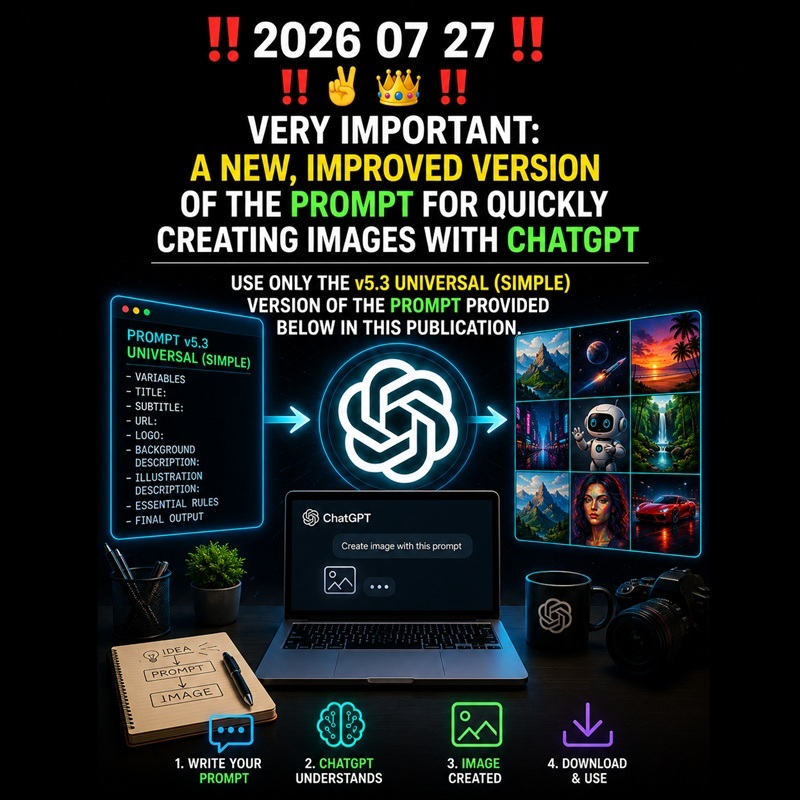
‼️ 2026 07 27 ‼️ ✌👑 ‼️ VERY IMPORTANT: A NEW, IMPROVED VERSION OF THE PROMPT FOR QUICKLY CREATING IMAGES WITH CHATGPT [USE ONLY THE v5.3 UNIVERSAL (SIMPLE) VERSION OF THIS PROMPT]:
–
– USE ONLY THE v5.3 UNIVERSAL (SIMPLE) VERSION OF THE PROMPT PROVIDED BELOW IN THIS PUBLICATION.
–
– CREATE IMAGES QUICKLY WITH CHATGPT:
–
– To create images, I highly recommend ChatGPT. With ChatGPT, I have created two new prompts (simple and full) to generate images quickly, whether using ChatGPT or another AI. Both prompts are optimized for Instagram so that the text displays perfectly on the platform. You need to add the title and, optionally, a link or other information into the prompt. I recommend using ChatGPT by sending it an existing image that represents the title of your post. It is recommended to use the instant/rapid reasoning mode with ChatGPT, as the result is significantly better. THANK YOU VERY MUCH.
–
—
–
– IN FRENCH:
–
– Pour créer des images, je recommande fortement ChatGPT. Avec ChatGPT, j’ai créé deux nouveaux prompts (simple et complet) permettant de générer des images rapidement, que ce soit avec ChatGPT ou une autre IA. Ces deux prompts sont optimisés pour Instagram, afin que les textes s’affichent entièrement sur la plateforme. Vous devez ajouter le titre et, éventuellement, un lien ou d’autres informations dans le prompt. Je recommande d’utiliser ChatGPT en lui envoyant une image existante qui représente le titre de votre publication. Il est conseillé d’utiliser le mode de réflexion instantanée avec ChatGPT, car le résultat est nettement meilleur. MERCI BEAUCOUP.
–
—
–
‼️ ABOUT TO CREATE IMAGES WITH ARTIFICIAL INTELLIGENCE (AI) : I HAVE CREATED THIS IMAGE WITH “ChatGPT” : YOU MUST SUBSCRIBE TO “ChatGPT” ($24.20 US per month).
–
https://chatgpt.com/images/
https://chatgpt.com/
https://auth.openai.com/log-in
–
‼️ Sora is being closed (April 26, 2026). You need to switch to other AI tools:
–
– 5 alternatives to Sora for creating images:
https://chatgpt.com/images/
https://ideogram.ai/t/explore
https://firefly.adobe.com/
https://freepik.com/
– Gab AI with Google Nano Banana 2 model:
https://gab.ai/app
–
‼️ THE BEST ARTIFICIAL INTELLIGENCE “AI” WEBSITES & THE BEST AI WEBSITES FOR CREATING IMAGES.
‼️ LINKS TO THE BEST ARTIFICIAL INTELLIGENCE “AI” WEBSITES AND, LINKS TO THE BEST “AI” WEBSITES FOR CREATING IMAGES, THAT I KNOW CURRENTLY.
‼️ HERE:
https://pastebin.com/VzNbyKEL
–
—
–
‼️ VERY IMPORTANT: IMPORTANT YOUTUBE CHANNELS ABOUT THE JEWISH RELIGION AND ABOUT THE CHRISTIAN RELIGION.
‼️ HERE:
https://pastebin.com/H16QgGz4
–
—
–
—
–
– THE v5.3 UNIVERSAL (SIMPLE) PROMPT:
–
—
–
—
–
– IMPORTANT EXECUTION COMMAND:
– Read and execute the complete SIMPLE image specification below as binding image-generation instructions.
– Do not summarize, analyze, rewrite or describe the specification.
– Replace every supplied placeholder with its exact value before generating the image.
– Remove every placeholder and variable label that has no supplied value.
– If an optional logo is supplied, use it exactly as provided.
– If no logo is supplied, do not generate, replace, imitate or invent any logo.
– Do not display any instruction, variable label, placeholder or square bracket in the final image.
– Keep the left 160 pixels and the right 160 pixels completely empty and pure black.
– Use restrained font sizes so that every text line remains fully visible on Instagram when viewed on a smartphone or computer.
– Then generate exactly ONE final image that follows every applicable requirement below.
–
– ======================================================================
– IMAGE PROMPT SPECIFICATION v5.3 UNIVERSAL (SIMPLE)
– ======================================================================
– ———————————————————————-
– VARIABLES
– ———————————————————————-
– TITLE:
– (for example) ‼️ 2026 07 27 ‼️ ✌👑 ‼️ VERY IMPORTANT: SATELLITES COMBINED WITH AI TO DETECT FIRES
– SUBTITLE:
– (for example) USING MODERN TECHNOLOGIES TO SERVE HUMANS AND STOP THE DRAMATIC CONSEQUENCES OF INCENDIARY FIRES
– URL:
– [URL]
– LOGO:
– [OPTIONAL LOGO]
– BACKGROUND DESCRIPTION:
– (for example) The image must represent that satellites combined with ai must be used to detect fires
– ILLUSTRATION DESCRIPTION:
– (for example) – Create an original INCENDIARY FIRES illustration : the image must represent that satellites combined with ai must be used to detect fires.
– ———————————————————————-
– ESSENTIAL RULES
– ———————————————————————-
– Generate exactly ONE completely new square image.
– Canvas size: EXACTLY 1254 × 1254 pixels.
– Aspect ratio: 1:1.
– Background color: EXACTLY #000000.
– Before generating the image, replace every placeholder with its corresponding supplied value.
– If a placeholder has no supplied value, completely remove the placeholder and its unused label before generating the image.
– Never display placeholder names, square brackets, empty variables or unused labels.
– Never display any placeholder literally in the final image.
– Display every supplied variable exactly as written.
– Never rewrite, translate, correct, shorten, expand or invent supplied content.
– Center the title, subtitle and URL as one complete text block.
– Center every line horizontally.
– Keep the complete text block vertically centered.
– Top margin: 25%.
– Bottom margin: 25%.
– Left border: EXACTLY 160 pixels.
– Right border: EXACTLY 160 pixels.
– Keep all content strictly inside the central usable area from x = 160 inclusive to x = 1094 exclusive.
– Keep both 160-pixel side borders completely empty and EXACTLY #000000.
– Never crop, clip, overlap, hide or distort text.
– Use natural line breaks and avoid splitting words.
– Break URLs only at natural separators when necessary.
– Use a clean modern sans-serif font in Regular or Semi-Bold.
– Title: largest text, but use a restrained size rather than an oversized poster-headline size.
– Subtitle: smaller than the title.
– URL: fully readable and never larger than the title.
– Reduce the font size whenever necessary so that every line remains fully inside the 934-pixel-wide central usable area.
– Prefer smaller text with comfortable side clearance over larger text close to the side borders.
– Never enlarge text merely because empty space is available.
– Main text color: EXACTLY #FFFFFF.
– URL color: EXACTLY #0000FF on every line.
– Never use glow, shadow, blur, outline, stroke, bevel, emboss, reflection, gradient, neon, transparency or 3D effects.
– If an optional logo is supplied, use it exactly as provided.
– Preserve the logo’s proportions and never stretch, rotate, crop or distort it.
– If no logo is supplied, do not generate, replace, imitate or invent any logo.
– Never place the logo or important illustration details behind the text.
– If an illustration is requested, keep it visually dominant without reducing text readability.
– If no illustration is requested, create a clean text-focused composition.
– Add no unrequested text, logos, decorations or effects.
– Ensure the complete image remains fully visible and readable on Instagram when viewed on a smartphone and a computer.
– Verify that both side borders remain empty and that no text or visual element crosses them.
– Correct every detected issue before producing the final image.
– ———————————————————————-
– FINAL OUTPUT
– ———————————————————————-
– Generate exactly ONE final image.
– No drafts.
– No alternatives.
– No explanations.
– Output only the requested final image.
–
—
–
–
—
–
‼️‼️ LeGamerInfini DOCUMENTS HERE:
https://pastebin.com/u/LeGamerInfini
–
—
–
‼️ #EndTimes ‼️
–
#Coldwave #Darkwave #DarkTechno #DarkDance #CatRave #Gothic #GothicRock #GothMusic #GothDJ
–
#SATAN #LUCIFER #DEVIL #DIABLE #SATANISM #SATANISME #HailSatan #SATANIC #FallenAngel #METAL #666FD #APOCALYPSE #BAPHOMET
–
#AFP #Journalist #CNN #LCI #Diplomacy
–
#Bible #Religion #BibleStudy #Theology #Scripture #Prophecy #Christianity #Christian #Islam #Chrétien
–
#IndieDev #IndiegameDev #GameDev #SoloDev
–
#infoviva #LN24
–
#TheSatanicTemple #SatanicTemple #ChurchOfSatan #666😈 #666
–
—
–


Leave a Reply