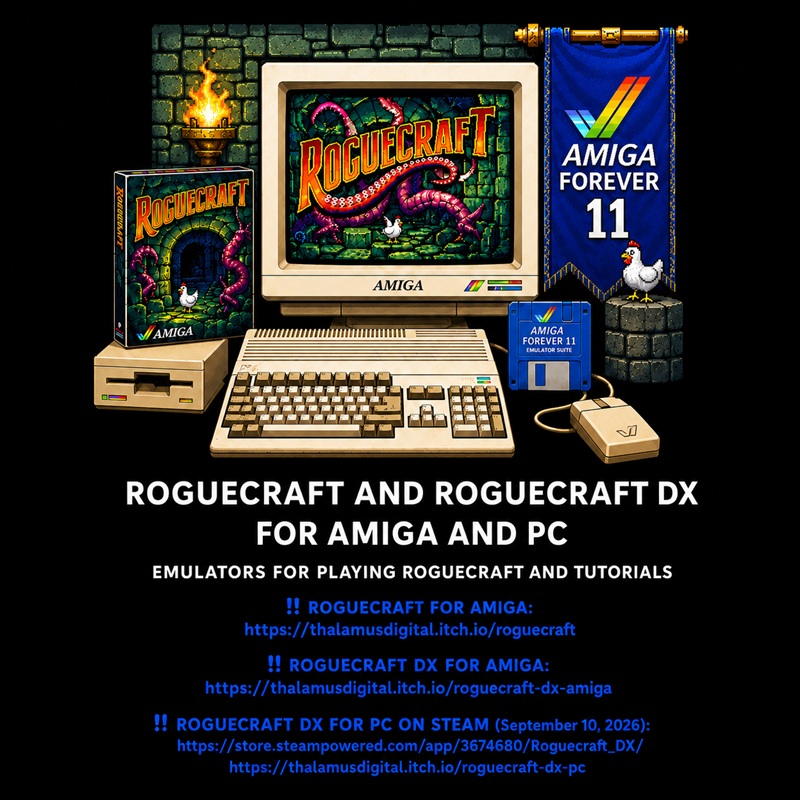
‼️ 2026 08 06 ‼️ THE COMMODORE AMIGA AND C64 ARE NOT DEAD: THE ROGUECRAFT GAME AND AN IMPORTANT NEW DOCUMENT CURRENTLY BEING CREATED:
–
– 2026 04 28, Amiga Forever 11, C64 Forever 11, WinUAE, Magic UAE, AMIKIT, EMU-FRANCE, LAUNCHBOX, HYPERSPIN.
‼️‼️ HERE:
https://real-antichrist.com/2026/04/09/7841/
https://pastebin.com/vNNPDf7X
–
‼️‼️ LeGamerInfini DOCUMENTS AVAILABLE HERE:
https://pastebin.com/u/LeGamerInfini
–
– NEW DOCUMENT CURRENTLY BEING CREATED: The Commodore Bible: Amiga & C64 Links, Guides, Emulators, OS, PiMiga, AmiKit, FPGA & Hardware
–
– In the document “The Commodore Bible”, an important section will be devoted to Commodore Amiga and Commodore 64 emulators, as well as FPGA.
–
– I WILL CONTINUE WORKING ON THESE DOCUMENTS IN THE FUTURE. THIS IS TIME-CONSUMING WORK, BECAUSE THESE ARE LARGE PROJECTS CURRENTLY BEING CREATED:
–
– 1] ‼️ The Commodore Bible: Amiga & C64 Links, Guides, Emulators, OS, PiMiga, AmiKit, FPGA & Hardware
– 2] ‼️ Complete SteamOS & Bazzite Guide: Transform Your Windows PC into a Gaming Console. ‼️Thank you‼️
–
– 3] ‼️ Complete SteamOS & Bazzite Guide: Transform Your Windows PC into a Gaming Console. ‼️Thank You‼️
–
– 4] ‼️ GRAND INDEX OF EMULATION: ENCYCLOPEDIA OF EMULATORS BY SYSTEMS AND CATEGORIES
–
– 5] ‼️ Image Prompt Creation Guide: Image Optimization for Instagram ‼️ THANK YOU ‼️
–
– 6] ‼️ Complete AtlasOS Guide: Optimize Windows 11 for Gaming and Performance
–
—
–
– ‼️ ROGUECRAFT FOR AMIGA:
–
– Roguecraft is a turn-based roguelike role-playing game developed for Commodore Amiga computers.
–
– The dungeons are procedurally generated: their layout, items and enemies change with each new game.
–
– The digital version is notably provided as an ADF file that can be used directly with an Amiga emulator.
–
– Some recent versions of the archive may also include a WHDLoad version in LHA format.
–
– Official page:
–
– https://thalamusdigital.itch.io/roguecraft
–
– Minimum Amiga configuration specified by the publisher:
–
– – PAL version;
– – ECS- or AGA-compatible Amiga;
– – 1 MB of Chip RAM and 1 MB of additional memory;
– – or 2 MB of Chip RAM.
–
– ‼️ ROGUECRAFT DX FOR AMIGA:
–
– Roguecraft DX is an improved and expanded version of Roguecraft.
–
– Unlike Roguecraft, Roguecraft DX for Amiga is mainly provided as a WHDLoad archive.
–
– It is intended for:
–
– – emulators such as WinUAE;
– – AmigaOS environments equipped with WHDLoad;
– – real Amiga computers with enough memory.
–
– Roguecraft DX therefore does not necessarily launch like a simple ADF floppy disk inserted into the DF0 drive.
–
– Official page:
–
– https://thalamusdigital.itch.io/roguecraft-dx-amiga
–
– Minimum Amiga configuration specified by the publisher:
–
– – PAL version;
– – 2 MB of Chip RAM;
– – at least 2 MB of additional memory;
– – a working WHDLoad installation.
–
– ‼️ ROGUECRAFT DX FOR PC ON STEAM:
–
– Steam page:
–
– https://store.steampowered.com/app/3674680/Roguecraft_DX/
–
– The announced release date must always be checked again directly on Steam before publication, because it may be changed by the publisher.
–
—
–
– ‼️ ROGUECRAFT FOR AMIGA:
– https://thalamusdigital.itch.io/roguecraft
–
– ‼️ ROGUECRAFT DX FOR AMIGA:
– https://thalamusdigital.itch.io/roguecraft-dx-amiga
–
– ‼️ ROGUECRAFT DX FOR PC ON STEAM (release date: September 10, 2026):
– https://store.steampowered.com/app/3674680/Roguecraft_DX/
– https://thalamusdigital.itch.io/roguecraft-dx-pc
–
– ‼️ VIDEO IN WHICH ROGUECRAFT AND ROGUECRAFT DX WERE FEATURED:
– The MEGA65 Is Becoming a Commodore Dream Machine
– https://youtu.be/tbwnjCF96bw
– https://www.youtube.com/@danwood_uk/videos
–
– Thalamus Digital links:
https://thalamusdigital.itch.io
https://store.steampowered.com/publisher/thalamusdigital
https://www.humblebundle.com/store/publisher/thalamus-digital
https://www.thalamusdigital.co.uk
https://www.thalamus.shop
https://x.com/thalamusdigital
https://www.facebook.com/thalamusdigital
https://www.instagram.com/thalamusdigital
https://mastodon.social/@thalamusdigital
https://spoutible.com/thalamusdigital
https://www.threads.net/@thalamusdigital
https://bsky.app/profile/thalamusdigital.bsky.social
https://www.tiktok.com/@thalamusdigital
–
—
–
– EMULATORS FOR PLAYING ROGUECRAFT:
–
– ‼️ AMIGA FOREVER 11:
–
– This video is an example that helps you understand how Amiga Forever and C64 Forever work:
– SETTINGS TO EMULATE THE GAME “BRILEY WITCH CHRONICLES 2” ON C64 FOREVER 10 FRONTEND EMULATOR:
https://youtu.be/vxwwZylGiE0
–
– https://www.amigaforever.com/
–
– https://www.amigaforever.com/news-events/af-11/
–
– https://www.amigaforever.com/games
–
– https://www.facebook.com/AmigaForever
–
– https://x.com/amigaforever
–
– https://www.emu-france.com/?p=105706
–
– https://www.emu-france.com/emulateurs/10-ordinateurs/113-commodore-amiga
–
– ‼️ WINUAE:
–
– There may be security problems on the official website of the WinUAE emulator. However, you can download the emulator from the Emu-France website:
– https://www.emu-france.com/emulateurs/10-ordinateurs/113-commodore-amiga/4166-winuae-x64/
–
– https://www.winuae.net/
–
– https://www.winuae.net/download/
–
– https://github.com/tonioni/WinUAE
–
– https://winuaehelp.vware.at/
–
– https://www.emu-france.com/emulateurs/10-ordinateurs/113-commodore-amiga
–
—
–
– ‼️ PLAYING ROGUECRAFT WITH AMIGA FOREVER 11
–
—
–
– ‼️ RECOMMENDED METHOD USING THE ADF FILE:
–
– 1] Install and launch Amiga Forever 11.
–
– 2] Check for updates using the program’s tools.
–
– 3] In Windows File Explorer, open the folder containing Roguecraft.
–
– 4] Locate the file with the following extension:
–
– – .adf
–
– 5] Double-click the ADF file.
–
– You can also:
–
– – open Amiga Forever 11;
– – use the command for opening a file;
– – select the ADF file;
– – or drag and drop the ADF file into Amiga Forever.
–
– 6] If a configuration window appears, select a configuration like the following:
–
– – Amiga 1200;
– – PAL;
– – 68020 processor;
– – AGA chipset;
– – 2 MB of Chip RAM;
– – 2 to 4 MB of Fast RAM.
–
– The game does not necessarily require AGA, but the Amiga 1200 provides a simple and sufficiently powerful configuration.
–
– 7] Check that the ADF file is inserted into:
–
– – DF0.
–
– 8] Start the emulation.
–
– 9] If a controller is detected, Amiga Forever should be able to use it as a joystick.
–
– Otherwise, open the control settings and select:
–
– – your controller;
– – or joystick emulation using the keyboard.
–
– 10] To permanently add the game to your Amiga Forever library:
–
– – launch the ADF file;
– – locate the game in the current playback list;
– – add it to the Games folder;
– – or use the RP9 tools available in your edition of Amiga Forever.
–
—
–
– ‼️ PLAYING ROGUECRAFT DX WITH AMIGA FOREVER 11
–
—
–
– This is generally the easiest method for Roguecraft DX.
–
– 1] Extract the ZIP archive downloaded from itch.io.
–
– 2] Locate the file with the following extension:
–
– – .lha
–
– 3] Keep an unmodified copy of the LHA file.
–
– 4] Try to open the LHA file directly with Amiga Forever 11.
–
– 5] When Amiga Forever recognizes WHDLoad content, it can:
–
– – extract the content;
– – create a suitable configuration;
– – use its WHDLoad environment;
– – prepare the required ROMs and files.
–
– 6] Before starting, open the properties or settings of the imported title.
–
– 7] Check that the configuration includes at least:
–
– – 2 MB of Chip RAM;
– – 2 MB of Fast RAM or additional memory.
–
– A more comfortable configuration is recommended:
–
– – 2 MB of Chip RAM;
– – 8 MB of Fast RAM;
– – 68020 processor;
– – AGA chipset;
– – PAL system.
–
– 8] Start the game.
–
– 9] If the game immediately returns to the Workbench or displays a black screen:
–
– – increase the Fast RAM;
– – check that the Chip RAM is correctly set to 2 MB;
– – check that the LHA file has not been modified;
– – delete the imported title;
– – download the official archive again;
– – repeat the import.
–
—
–
– ‼️ PRESERVING SCORES AND MODIFICATIONS
–
—
–
– To avoid losing your scores:
–
– 1] Always work with a copy of the ADF file.
–
– 2] Do not permanently write-protect this copy.
–
– 3] When you close Amiga Forever, accept the saving of changes made to the disk if the program offers this option.
–
– 4] Regularly create a backup copy of the modified ADF file.
–
– 5] For Roguecraft DX, the folder into which the game was extracted must be writable.
–
– 6] You can also create an emulation snapshot.
–
– A snapshot saves the complete state of the emulated Amiga, but it does not necessarily replace the normal save process performed by the game.
–
—
–
– ‼️ PART [09]: ROGUECRAFT CONTROLS
–
—
–
– The basic controls notably include:
–
– – joystick or directional keys: move the character;
– – walk towards a monster: attack automatically;
– – walk over an item: pick up the item;
– – hold the Fire button or the space bar: open the item selection;
– – move the selection to the desired item;
– – release Fire or the space bar: use the item;
– – Escape: end the game;
– – F1 and F2: enable or disable the music when these shortcuts are supported.
–
– Roguecraft DX can also be played with the keyboard or a joystick.
–
– Always consult the manual supplied with the purchased version to check the exact controls for that version.
–
—
–
– ‼️ TROUBLESHOOTING
–
—
–
– ‼️ THE GAME DOES NOT START:
–
– – check that you are using the latest archive downloaded from your itch.io account;
– – use a PAL configuration;
– – select an Amiga 1200;
– – insert the Roguecraft ADF file into DF0;
– – temporarily disable DF1, DF2 and DF3;
– – increase the Fast RAM;
– – check the selected Kickstart ROM.
–
– ‼️ MEMORY ERROR WITH ROGUECRAFT:
–
– Use:
–
– – 2 MB of Chip RAM;
– – 4 or 8 MB of Fast RAM;
– – only one active floppy drive for the first attempt.
–
– ‼️ ROGUECRAFT DX DISPLAYS A BLACK SCREEN:
–
– – check that the game has 2 MB of Chip RAM;
– – add 4 to 8 MB of Fast RAM;
– – use a Workbench installation with WHDLoad installed;
– – check the contents of DEVS:kickstarts;
– – check that the game’s folder is not write-protected;
– – download the official ZIP file again;
– – read the README file included by the publisher.
–
– ‼️ WHDLOAD REQUESTS A ROM:
–
– Check that the required Kickstart and RTB files are present in:
–
– – System\Devs\kickstarts
–
– ‼️ THE CONTROLLER DOES NOT WORK:
–
– – open the “Game Ports” settings;
– – assign the controller to joystick port number 2;
– – press a button on the controller after startup;
– – try a different keyboard layout;
– – disable software that simultaneously remaps the same controller.
–
– ‼️ THE SCORES ARE NOT SAVED:
–
– – use a writable copy of the ADF;
– – disable write protection for the DF0 drive;
– – validate the disk changes when closing Amiga Forever;
– – use a WHDLoad folder mounted with read and write access;
– – do not launch the game directly from a read-only archive;
– – make regular backups.
–
—
–
‼️ I CREATE DOCUMENTS TO INFORM, IT IS COMPLETELY FREE, I DO NOT WANT GIFTS.
‼️ I WANT TO REMAIN INDEPENDENT, I WANT TO PROVIDE SERVICE FOR FREE WITH COMPLETE INDEPENDENCE.
–
‼️‼️ GAMING: FREE GAMES. IMPORTANT ACTORS OF VIDEO GAMES INDUSTRY. GAMING BEST KEYSELLERS STORES
‼️‼️ HERE:
https://pastebin.com/bc6mUjgc
–
‼️‼️ RETROGAMING, EMULATION, EMULATORS: IMPORTANT LINKS ABOUT RETROGAMING
‼️‼️ HERE:
https://pastebin.com/we4PRcce
–
‼️‼️ BEST GAME CONTROLLERS & BRANDS & YOUTUBE CHANNELS REVIEWING GAME CONTROLLERS & OTHER THINGS
‼️‼️ THE BEST GAME CONTROLLERS AND BRANDS OF GAME CONTROLLERS (WEBSITES) AND YOUTUBE CHANNELS REVIEWING GAME CONTROLLERS AND OTHER INTERESTING THINGS ABOUT GAME CONTROLLERS
‼️‼️ HERE:
https://pastebin.com/N0KG3rXQ
–
‼️ YEARLY RECOMMENDED MINI PCs: PERFORMANCE, VALUE, PRICE, EFFICIENCY, CONNECTIVITY, TOP MODELS.
‼️‼️ HERE:
https://pastebin.com/dwzhvE48
–
‼️‼️ THE LINKS OF THE BEST MINI PC BRANDS AND YOUTUBE CHANNELS ABOUT MINI PCs AND THE BEST LAPTOP BRANDS
‼️‼️ HERE:
https://pastebin.com/tRzGGg6K
–
‼️‼️ CYBERSECURITY: TIPS AND LINKS TO FIGHT VIRUSES AND INFECTIONS AND MALICIOUS SITES
‼️‼️ HERE:
https://pastebin.com/A0WSRYTA
–
‼️ CYBERSECURITY TIPS REGARDING RETROGAMING AND EMULATORS
‼️ HERE:
https://pastebin.com/4tYF6Rpz
–
‼️‼️ THE BEST INTERNET BROWSERS AND THE BEST SEARCH ENGINES AND THE BEST META SEARCH ENGINES
‼️‼️ HERE:
https://pastebin.com/qy9BzuQc
–
‼️‼️ VIDEO CONVERTER & EDITOR & RECORDER & DOWNLOADER: FOUR BASIC & INEXPENSIVE SOFTWARES & EXTENSIONS
‼️‼️ FOUR BASIC AND INEXPENSIVE SOFTWARES THAT I HAVE USED FOR MY VIDEOS AND SOFTWARES AND EXTENSIONS FOR WEB BROWSER TO DOWNLOAD VIDEOS
‼️‼️ HERE:
https://pastebin.com/KVZybqL4
–
‼️ FREE ONLINE FILE CONVERTER: 6 FREE WEBSITES TO CONVERT YOUR FILES ONLINE IN THE FORMAT THAT YOU DESIRE
‼️‼️ HERE:
https://pastebin.com/dgWd5MTN
–
‼️‼️ CROWDFUNDING SITES
‼️‼️ CROWDFUNDING IS A WAY OF RAISING MONEY TO FINANCE PROJECTS AND BUSINESSES
‼️‼️ IT ENABLES FUNDRAISERS TO COLLECT MONEY FROM A LARGE NUMBER OF PEOPLE VIA ONLINE PLATFORMS
‼️‼️ HERE:
https://pastebin.com/1wak2bdY
–
‼️ THE BEST WEBSHOPS: WEBSHOPS IN WHICH WE CAN TRUST: TRUSTED WEBSHOPS
‼️‼️ HERE:
https://pastebin.com/sNC92i2j
–
‼️ LINKS TO TV NEWS CHANNELS & IMPORTANT LINKS TO WEBSITES FOR FOOTBALL (SOCCER) (LIVE & SUMMARIES)
‼️‼️ HERE:
https://pastebin.com/1ZDfq3kt
–
‼️ THE BEST ARTIFICIAL INTELLIGENCE “AI” WEBSITES & THE BEST AI WEBSITES FOR CREATING IMAGES
‼️‼️ HERE:
https://pastebin.com/VzNbyKEL
–
‼️ BEST PAID AND FREE STREAMING WEBSITES LIKE NETFLIX TO WATCH FILMS AND SERIES AND TV
‼️‼️ HERE:
https://pastebin.com/LFknbKsA
–
‼️ Amiga Forever 11, C64 Forever 11, WinUAE, Magic UAE, AMIKIT, EMU-FRANCE, LAUNCHBOX, HYPERSPIN
‼️‼️ HERE:
https://pastebin.com/vNNPDf7X
–
‼️ BEST VIDEO GAME SERIES AND BEST VIDEO GAME PUBLISHERS
‼️ HERE:
https://pastebin.com/4THQVDLb
–
‼️ Best Windows-Like Linux Distros: Beginner Guide
‼️ HERE:
https://pastebin.com/rN78JYaw
–
‼️ RASPBERRY PI OS (LEGACY) FULL: BEGINNER GUIDE AND ESSENTIAL COMMANDS
‼️ HERE:
https://pastebin.com/zRiABFMi
–
‼️ ChatGPT Image Prompt v5.3 UNIVERSAL (SIMPLE): Optimized for Instagram
‼️ HERE:
https://pastebin.com/9CyQEvnU
–
‼️ MY PERMANENT AND REUSABLE WORKING METHODOLOGIES FOR ALL CHATGPT CHATS
‼️ HERE:
https://pastebin.com/JXZ0Gxqy
–
‼️ Complete SteamOS & Bazzite Guide: Transform Your Windows PC into a Gaming Console
‼️ HERE:
https://pastebin.com/AVUwTwbY
–
‼️ Guide complet SteamOS & Bazzite : transformez votre PC Windows en console de jeu
‼️ HERE:
https://pastebin.com/uZu2n9Xr
–
‼️ #EndTimes ‼️
–
#Coldwave #Darkwave #DarkTechno #DarkDance #CatRave #Gothic #GothicRock #GothMusic #GothDJ
–
#SATAN #LUCIFER #DEVIL #DIABLE #SATANISM #SATANISME #HailSatan #SATANIC #FallenAngel #METAL #666FD #APOCALYPSE #BAPHOMET
–
#AFP #Journalist #CNN #LCI #Diplomacy
–
#Bible #Religion #BibleStudy #Theology #Scripture #Prophecy #Christianity #Christian #Islam #Chrétien
–
#IndieDev #IndiegameDev #GameDev #SoloDev
–
#infoviva #LN24
–
#TheSatanicTemple #SatanicTemple #ChurchOfSatan #666😈 #666
–
—
–
———————————
———————————


Leave a Reply